Detection Rules
Purpose: To define matching conditions (via matchers and logical operators) for triggering alerts from incoming data.
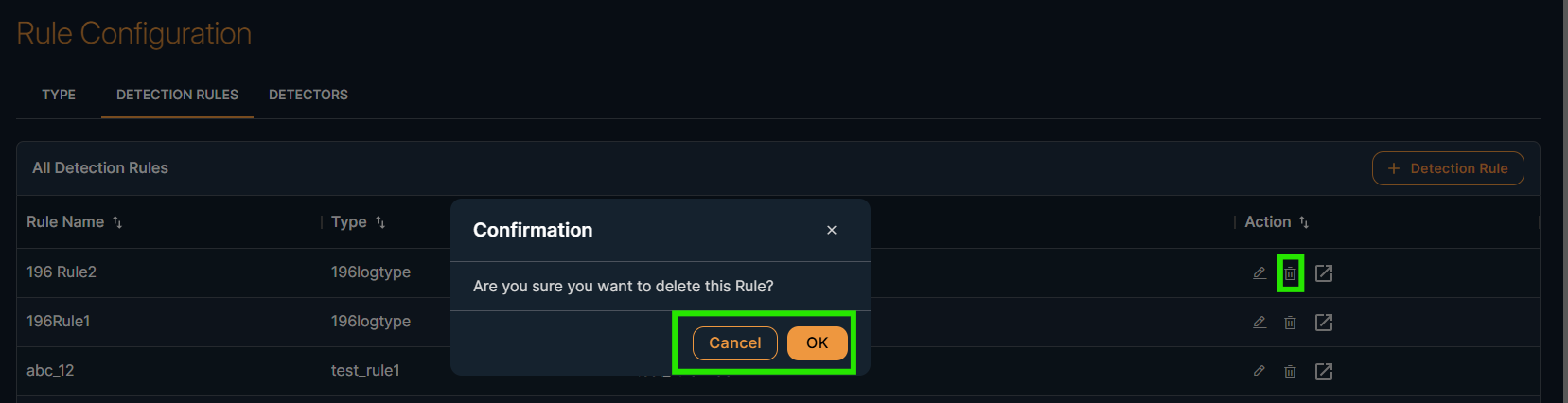
On the same screen, you can perform the actions Add, Edit, Delete
And a list of created Detection Rules will be displayed.
Steps to Add Detection Rule:
- Click “+ Detection Rule” button
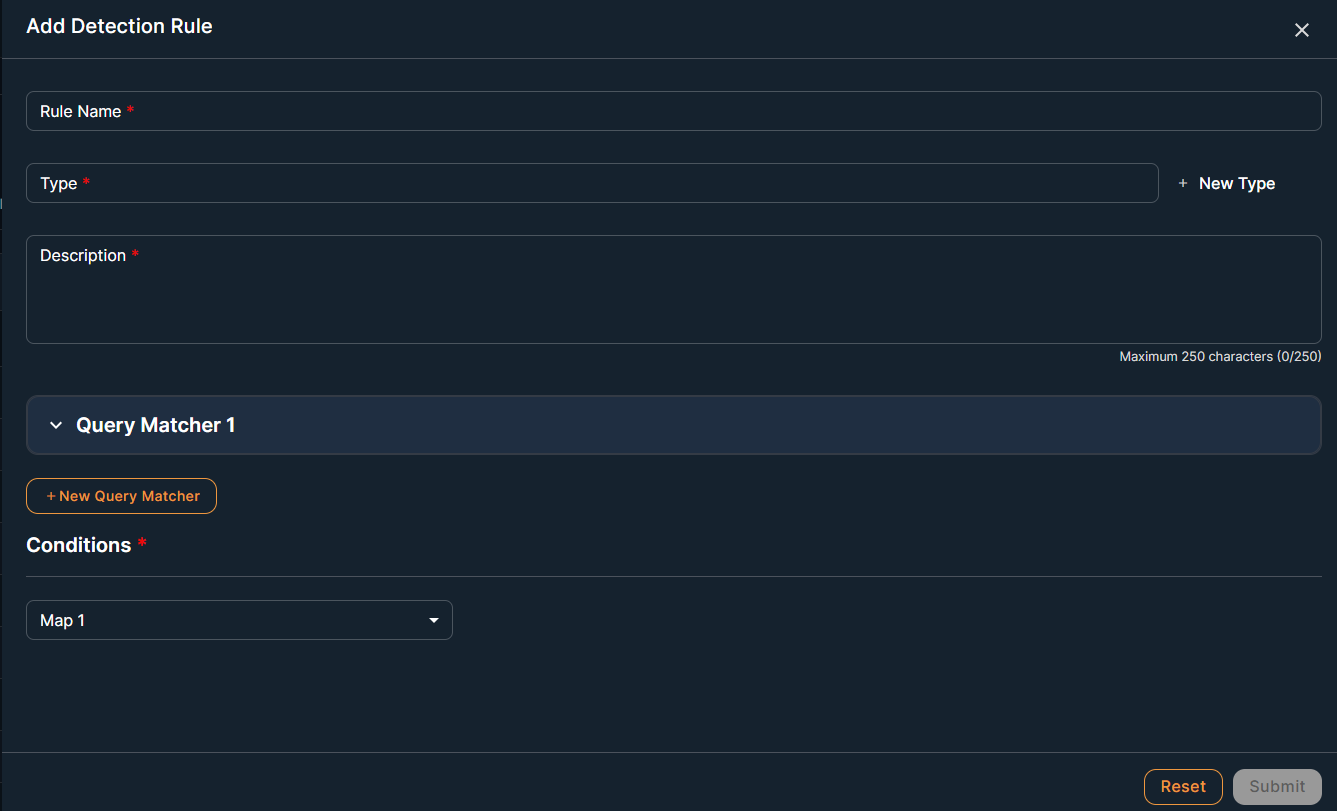
- Enter:
- Rule Name
- Type – Select from available Log Types
- Description
- Add Query Matchers:
- Define key-value patterns
- Multiple matchers can be added
- Set Conditions using logical operators like AND/OR
- Click Save
The detection rule will now be part of available rules and usable in Detectors.
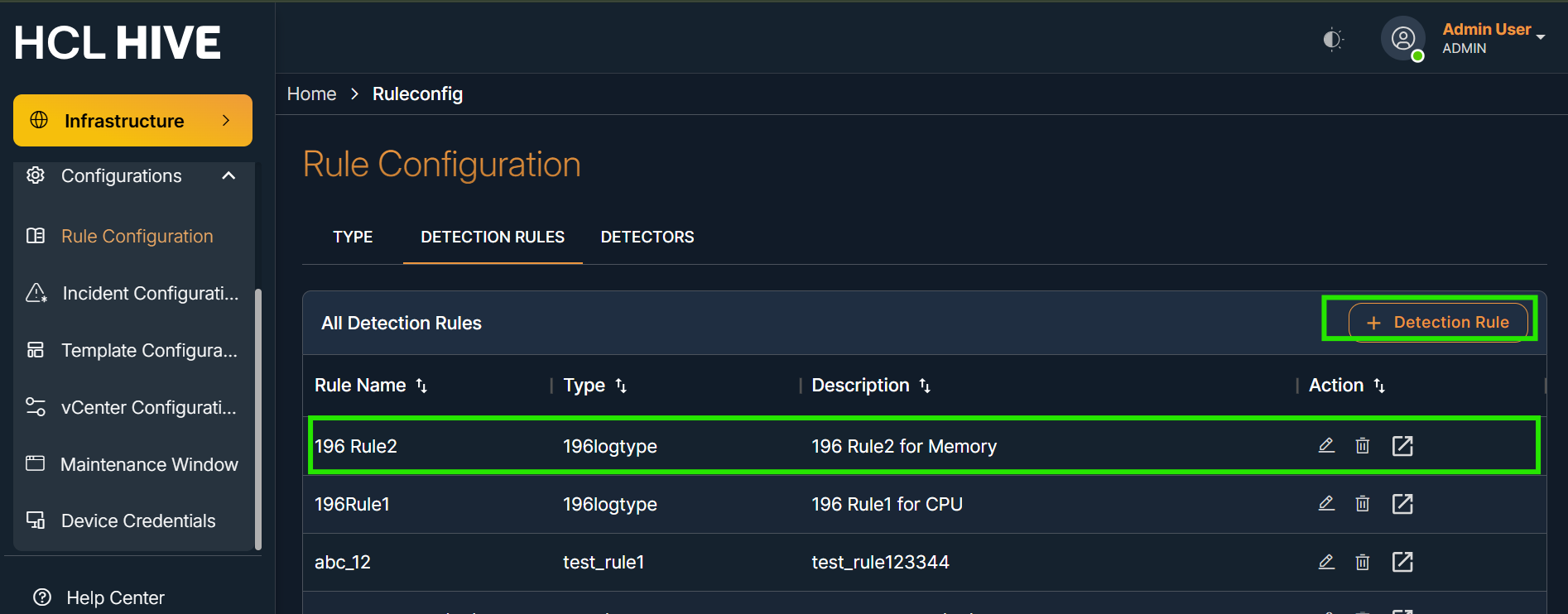
On the Detection Rules screen, You will see the newly created detection rule
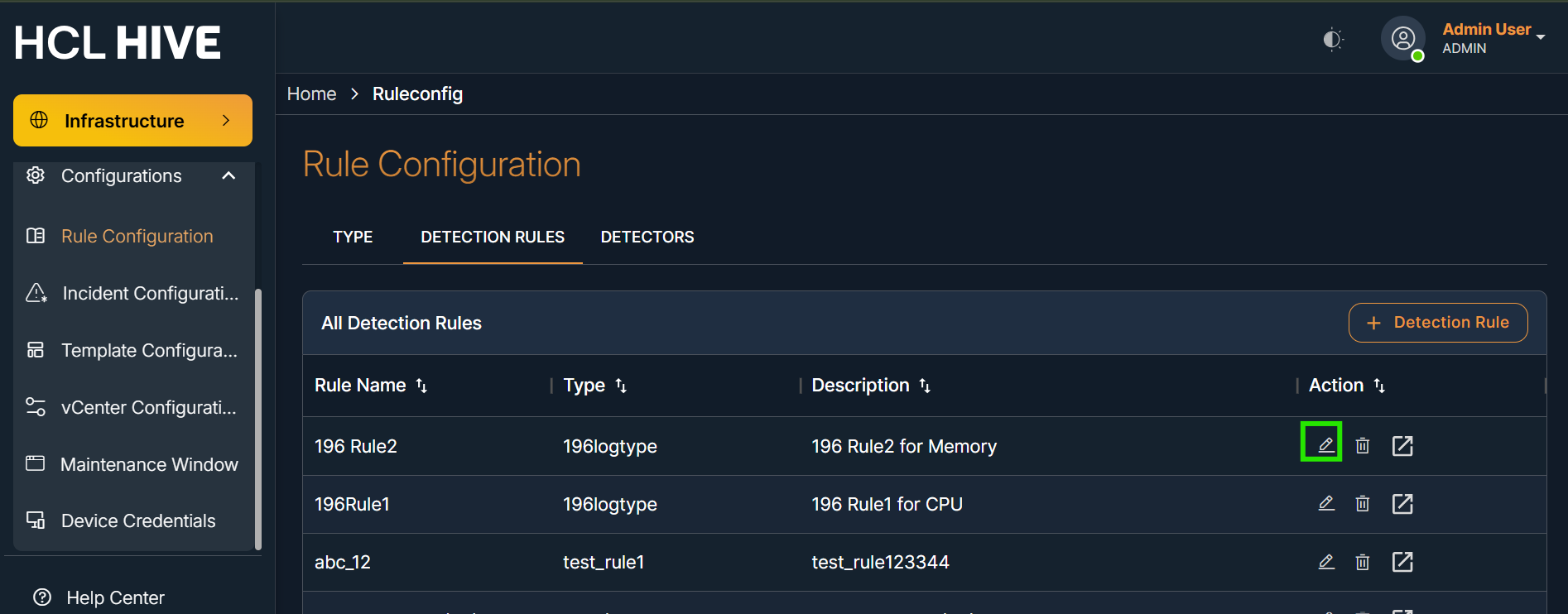
In the table, you can click "Edit" or “Delete” or “View” detection rule
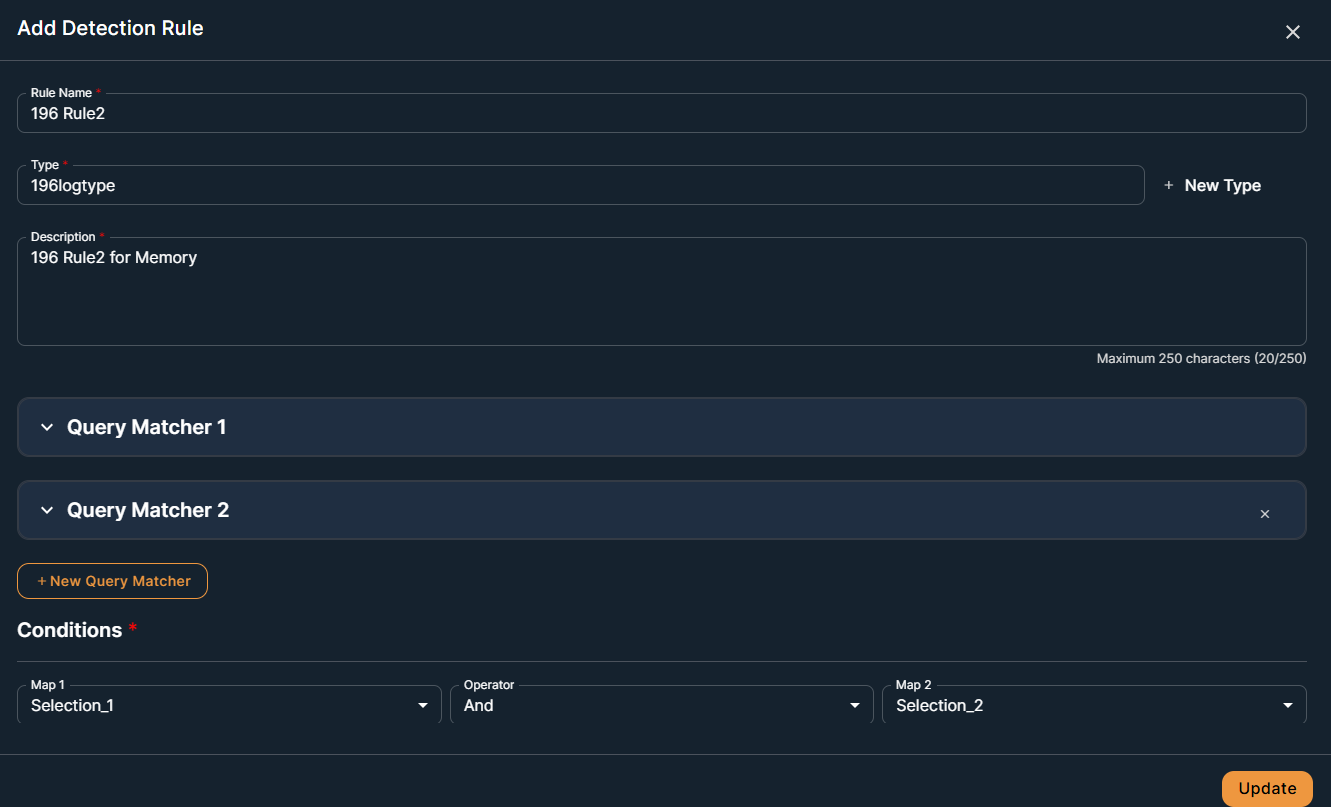
Steps to edit Detection Rule:
- Click on edit button
- Update the required details
- Click on Update button to make the changes reflect
Steps to delete rule:
- Click on delete button
- Click OK to confirm the message in the pop-up dialog box.