
vCenter Configuration
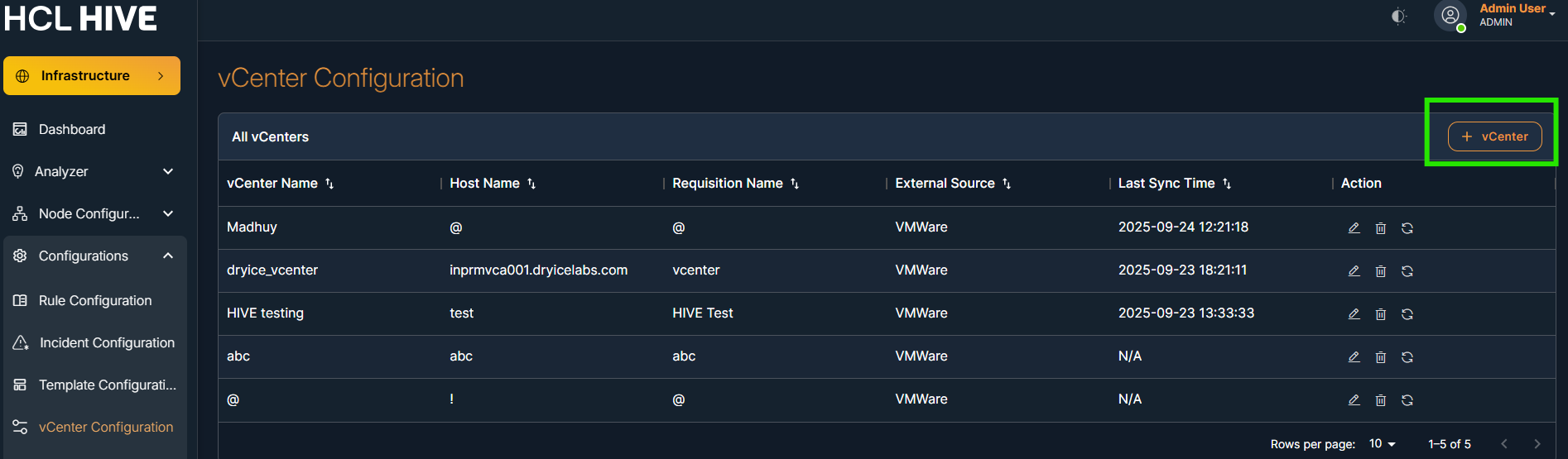
The vCenter Configuration module allows users to add, view, edit, and manage vCenter instances for metrics collection. This setup is essential for enabling the SNMP to gather and process data from VMWare vCenter environments.
It acts as the source configuration for backend requisition and monitoring pipelines in the observability platform.
Navigation: Infrastructure → Configurations → vCenter Configuration
On the main vCenter Configuration screen, the following columns are shown:
- vCenter Name
- Host Name
- Requisition Name
- External Source
- Actions (Edit / Delete)
| Field | Description |
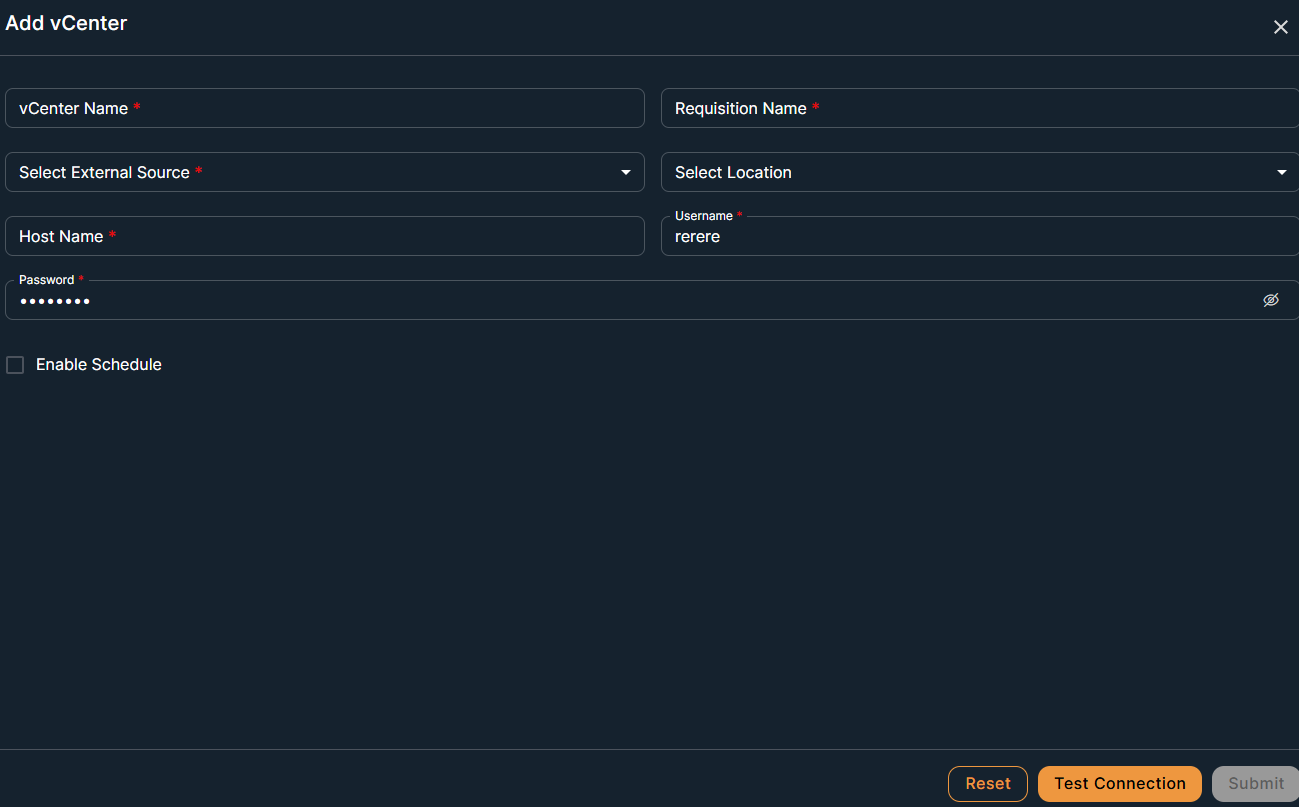
| vCenter Name | A unique, human-readable name for the vCenter instance |
| External Source | Source system type (e.g., VMware). |
| Host Name | IP address or hostname of the vCenter (e.g., mprmvca001.dryicelabs.com). |
| Requisition Name | Identifier used internally to generate data requisition requests. |
| Username / Password | Credentials used to access the vCenter (typically with readonly access). |
| Enable Schedule | Optional checkbox to schedule automated data pulls. |
Steps to Add a New vCenter:
- Click on + vCenter.
- Fill in the required fields:
- vCenter Name (must be unique)
- Select External Source (e.g., VMware)
- Enter Host Name (IP or FQDN of vCenter)
- Enter Requisition Name
- Provide Username and Password (read-only user recommended)
- (Optional) Check Enable Schedule if periodic data collection is required.
- Click Submit.
Steps to Edit or Delete a vCenter:
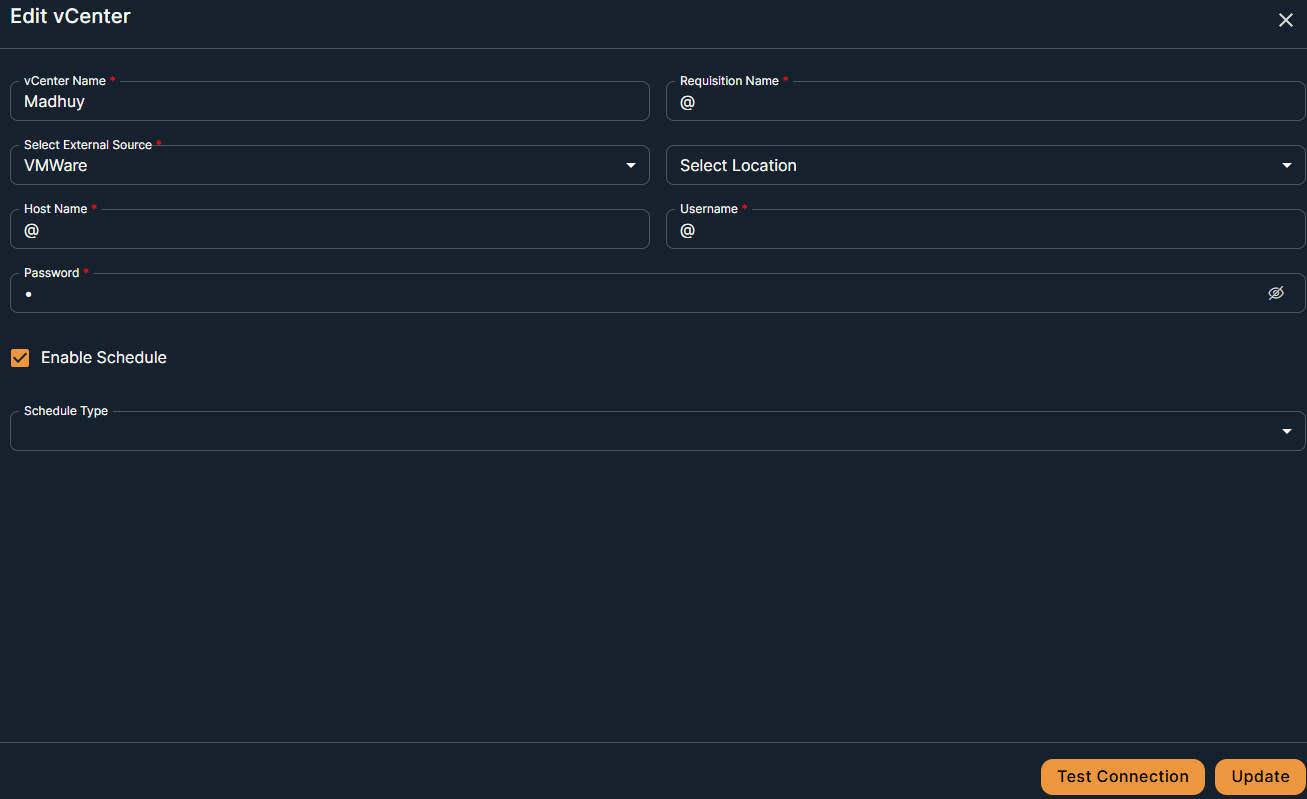
- To Edit, click the edit icon next to the vCenter entry, update the fields, and click Update.
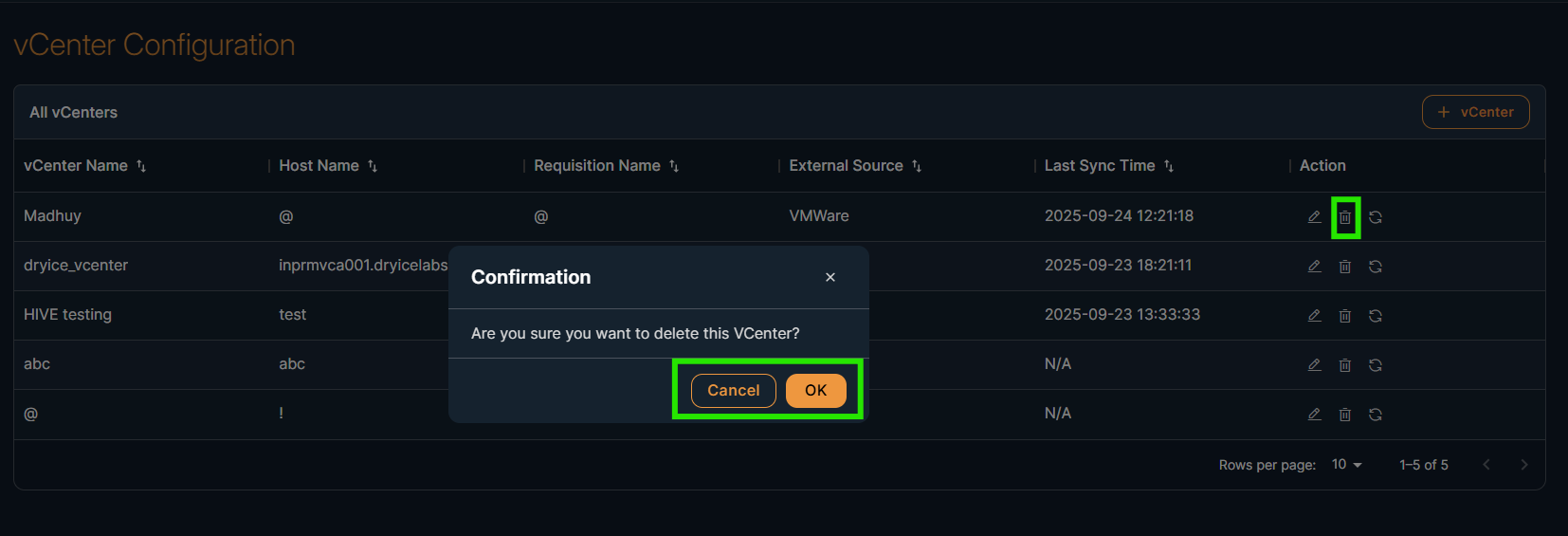
- To Delete, click the trash icon. A confirmation dialog will appear. Click on OK to delete.