Threshold Template
Threshold Templates help in defining the threshold for utilization KPIs and also the actions to be taken when a threshold breach occurs. This ensures that users are alerted when monitored metrics exceed or fall below acceptable limits.
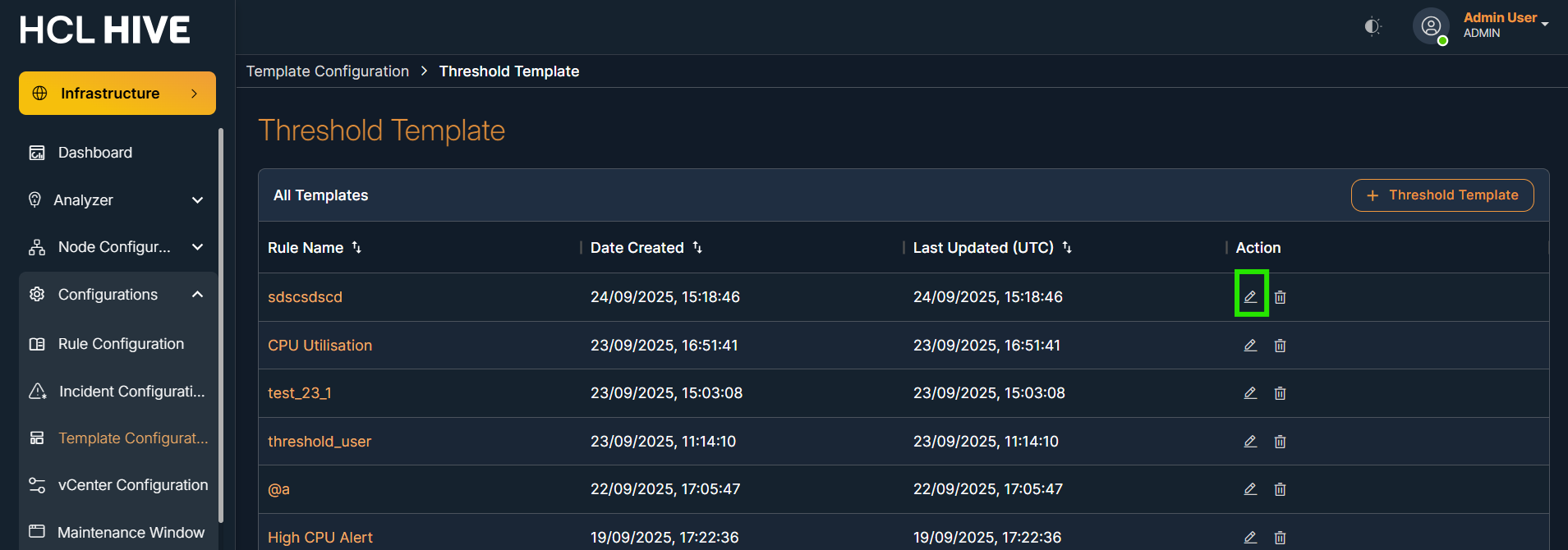
Click on the Threshold Template to view a table displaying all existing templates.
Steps to add new threshold template:
- Click the "+ Threshold Template" button
Figure 1. Figure - Threshold Template 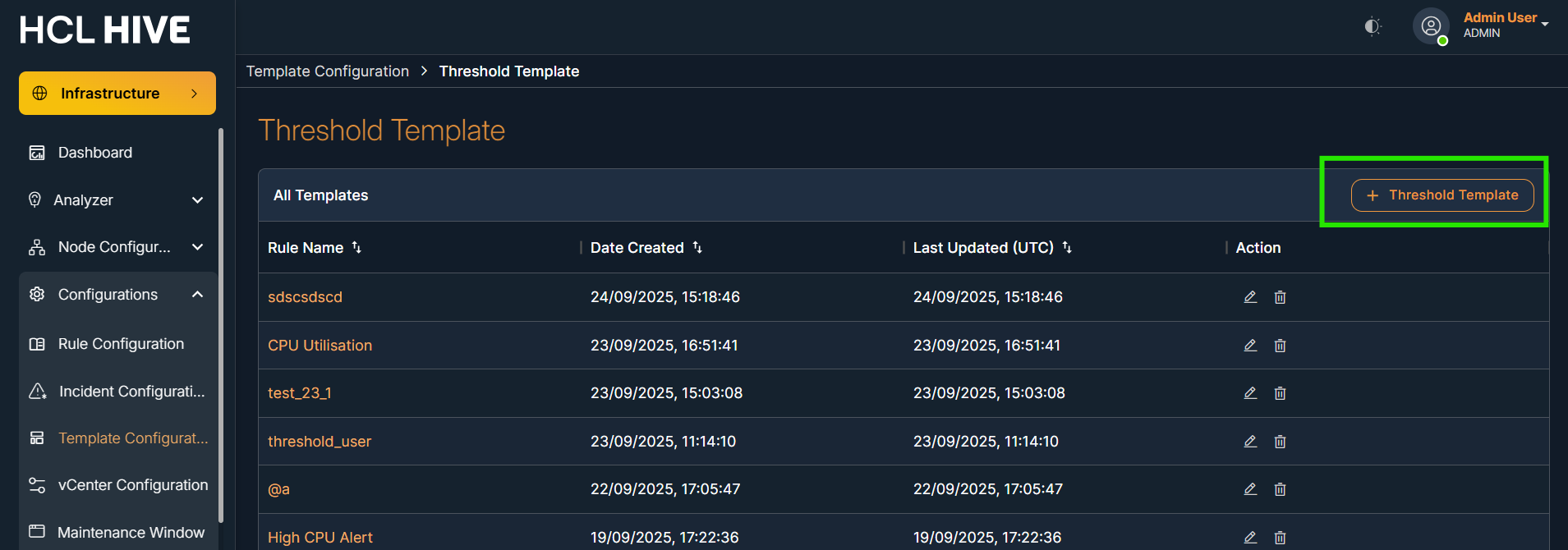
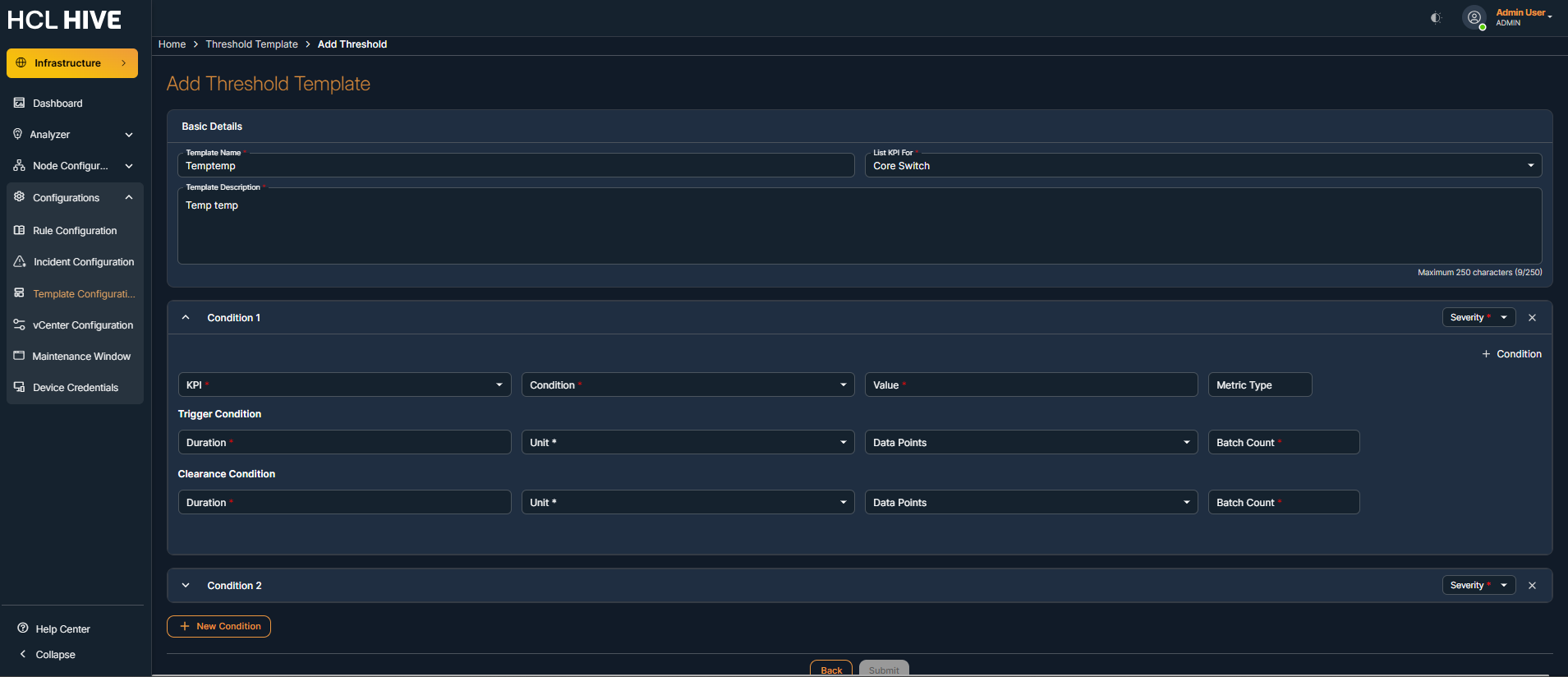
- Enter the required thresholds parameters:
- Template Name and Description
- Select the KPI from the KPI list (Host, Virtual Machine, Network Devices etc.)
- Add the condition including the severity level ( Critical or Warning)
- Click on Submit buttonNote:Note - First Condition should be Critical always
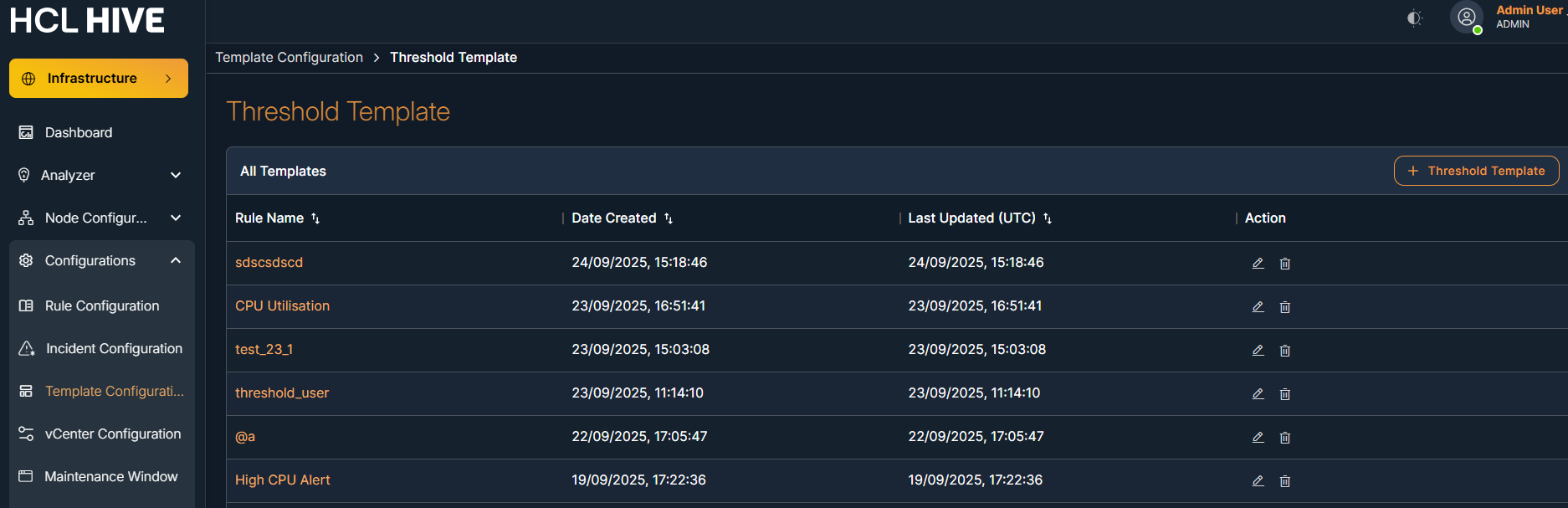
You will be redirected to the threshold template table, where you can view the newly added entry.
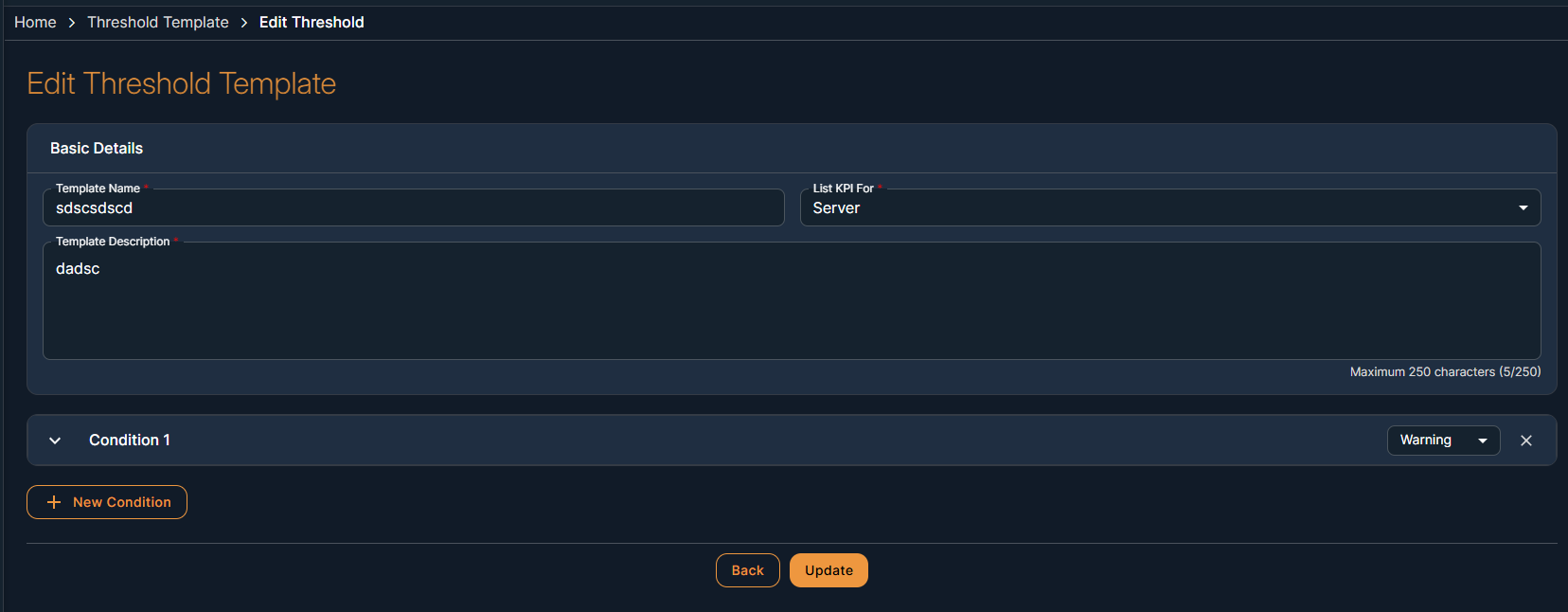
Steps to edit the Threshold Template:
- Click on edit icon
- Enter the required updated details.
- Click on the Update button.
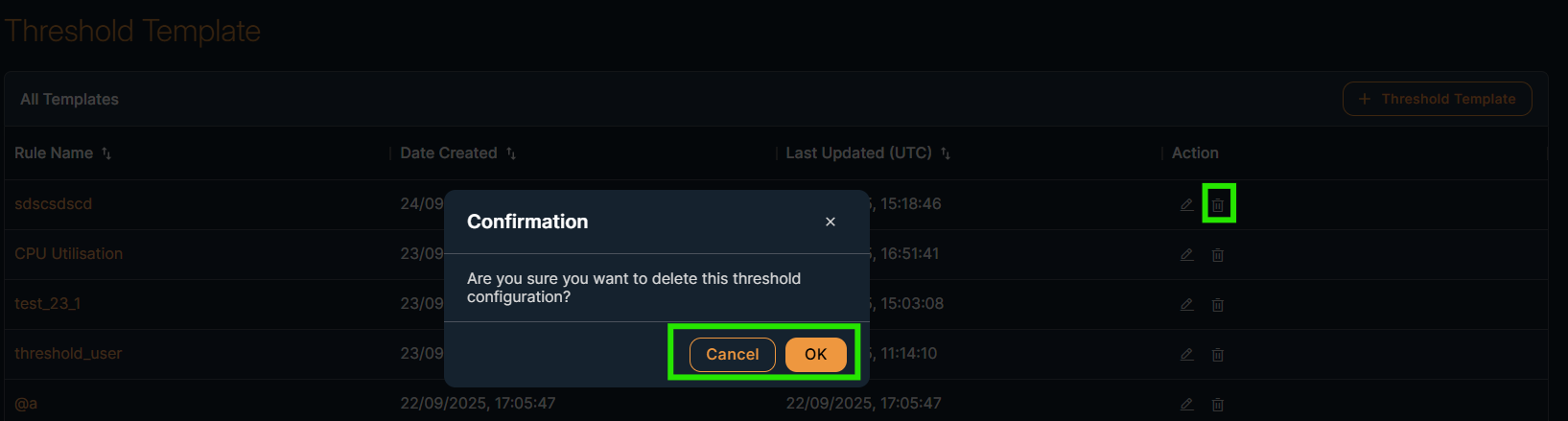
Steps to delete the template:
- Click on the delete button.
- Click OK to confirm the message in the pop-up dialog box.