We've made significant changes to the look and feel of The Scheduler. All the forms have undergone a review and overhaul where needed. We take our user feedback seriously and changed those most annoying issues and implemented the most frequently requested features.
•We've implemented additional user selected styles designed for the latest Windows versions and we've even provided the option to change your home screen image to your favourite photo. Review the User Preferences and User Images sections to set up your desired environment. All the screen shots in this documentation have been taken with the "Regal Blue" style implemented.
•The Scheduler can now use our Web Mail Setup for eMail clients Office 365 and GMail to send EFT Notifications, Client Snapshot report, several other reports and the System Status Report to us to help analyze any problems you are having.
•Quick Start Tutorial: We've updated the tutorial with bite sized sections that won't overwhelm the new user. Walk before you run. Quick Start Tutorial.
•We've revamped displaying folder and client information. Entry and editing fields is more intuitive. Review the Folder Information and Client Information sections to see what's new!
•EFT tasks: We've put all things associated with managing EFT files on a single panel. The tab progression on the panel is EFT Preparation, EFT Notifications and EFT Reconciliation.
•CIBC has changed their processing "rules". Their platform used to adjust due dates if they fell on a weekend or statutory holiday. They are no longer doing that so we've built this into The Scheduler.. Credit transactions will have the due date changed to the first previous business day and debit transactions to the next business day. See Holiday Calendar Update for setting up the statutory holiday list.
•EFT file location: We've moved the EFT transmit file, reports, notifications and backup into The Scheduler appropriate Application Libraries folder removing all references to the local user's "documents" folder.
•Allow a user defined transmit file name or let The Scheduler generate a name. See the EFT File Information to set your preference.
•Scheduled backups: Most of our users do not have sophisticated IT backup procedures in place. We've had many a panic call when a user's hard drive has crashed or been the victim of a virus attack... and no backup. We've expanded our original built in backup routine to default to creating a backup after each EFT file has been prepared. Review the User Preferences section and select your desired backup parameters.
•Updated Help System: We've replaced the executable version of the eBook into a single document within an indexed ZIP file. Updates are easier for The Scheduler to implement without AV software getting grumpy about the old executable version and the updated PDF version is downloaded at the same time. The new layout is more intuitive, the help eBook is smaller, and we think it just looks a whole lot better with keyword search options and a print button.
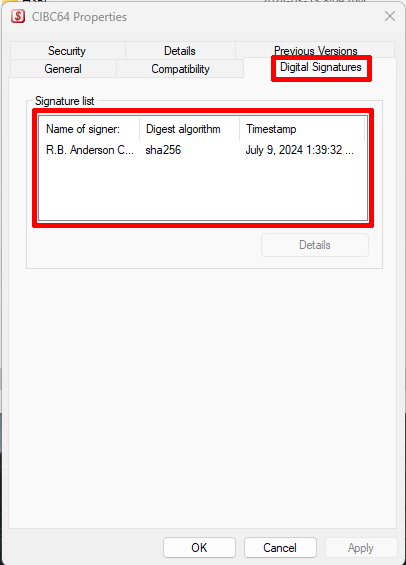
•The Scheduler is digitally signed ensuring Windows knows this is a trusted application.