Click the Tools > Maintenance > App Environment category button sequence to display the Application Libraries tab.
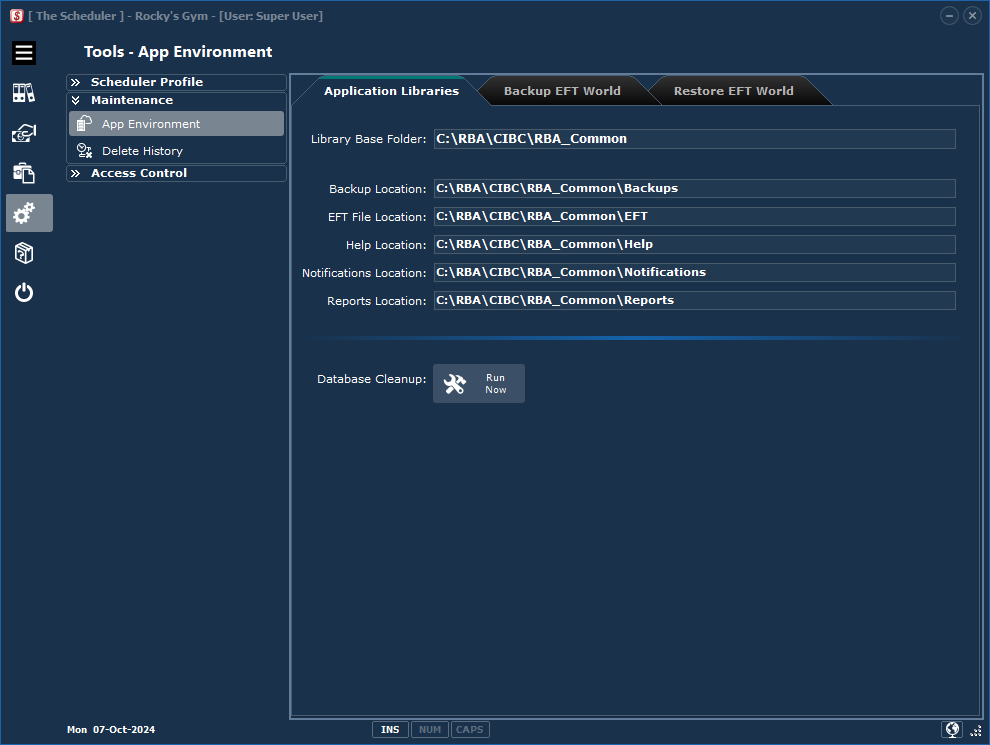
Library Base Folder: |
The "base" folder is always a child sub folder of The Scheduler "Start In" location with sub folders under the base location. |
Backup Location:: |
The Scheduler encrypted ZIP file backups will be saved in this folder. |
EFT File(s) Location: |
The Scheduler posts EFT files created to this location. The EFT File location and name are printed on the 'Transmission Detail" Report in the EFT Preparation process. |
Help System Location: |
There are three publications of the Help System. 1.Locally installed context sensitive version that can be accessed by pressing the F1 key. 2.A PDF version that can be read/printed offline. 3.A web browser based version: Web Link. |
Notifications Location: |
The PDF Notifications to be sent as eMails are stored in this folder. |
Reports Location: |
Any reports saved as PDF documents will be stored in this folder. |
Database Cleanup: |
Client records "marked" for deletion, although not visible, are included in the total counts displayed. This task button does the housekeeping of physically cleaning up all The Scheduler folders. |