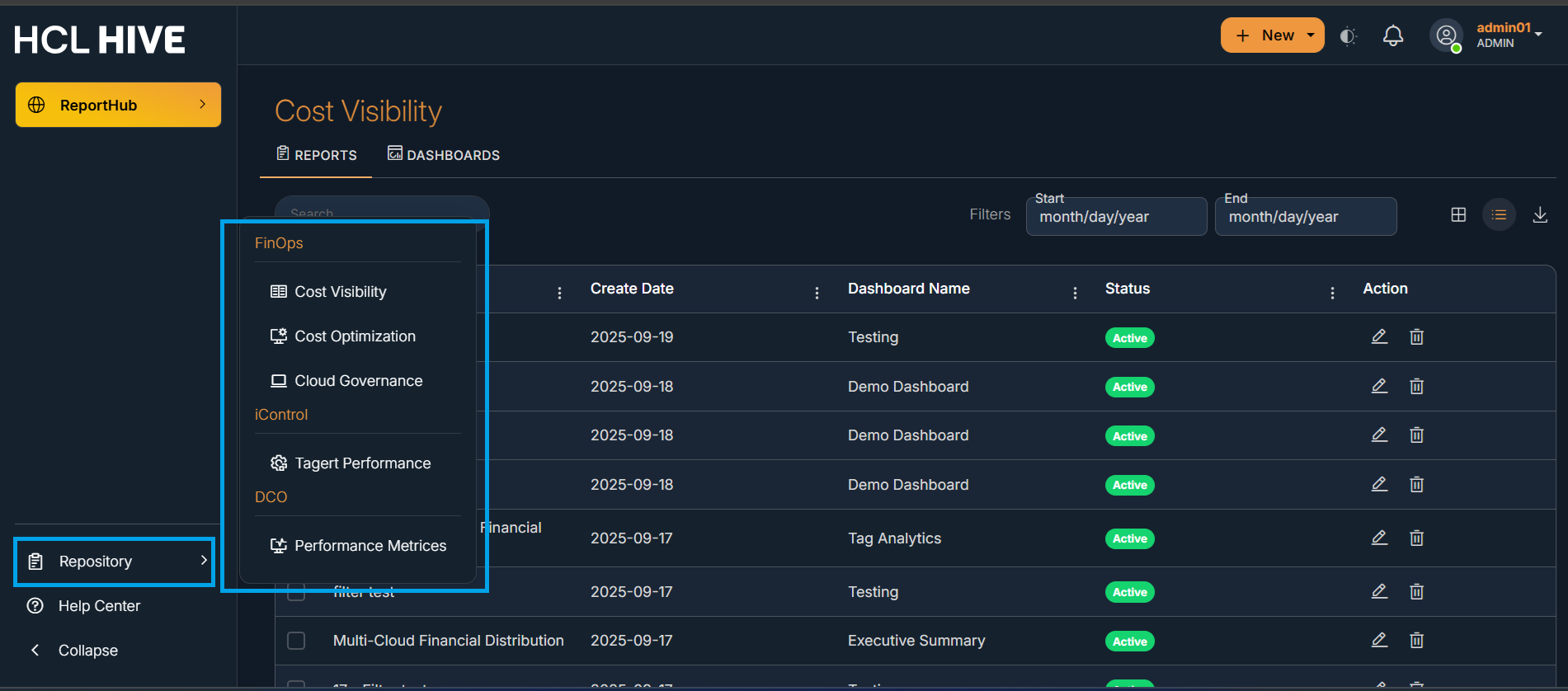
The repository serves as a centralized location for storing, managing, and accessing all
the available reports and dashboards. These assets are used to monitor key performance
indicators , analyze business data, and support decision-making processes across the
organization.The repository ensures version control, standardization, and easy collaboration
among different domains. To access repositories users need to click on “Repository” present on
the bottom left guide of the homepage.Figure 1. Figure - Repository
Select a repository to view the various reports and dashboards present in it.
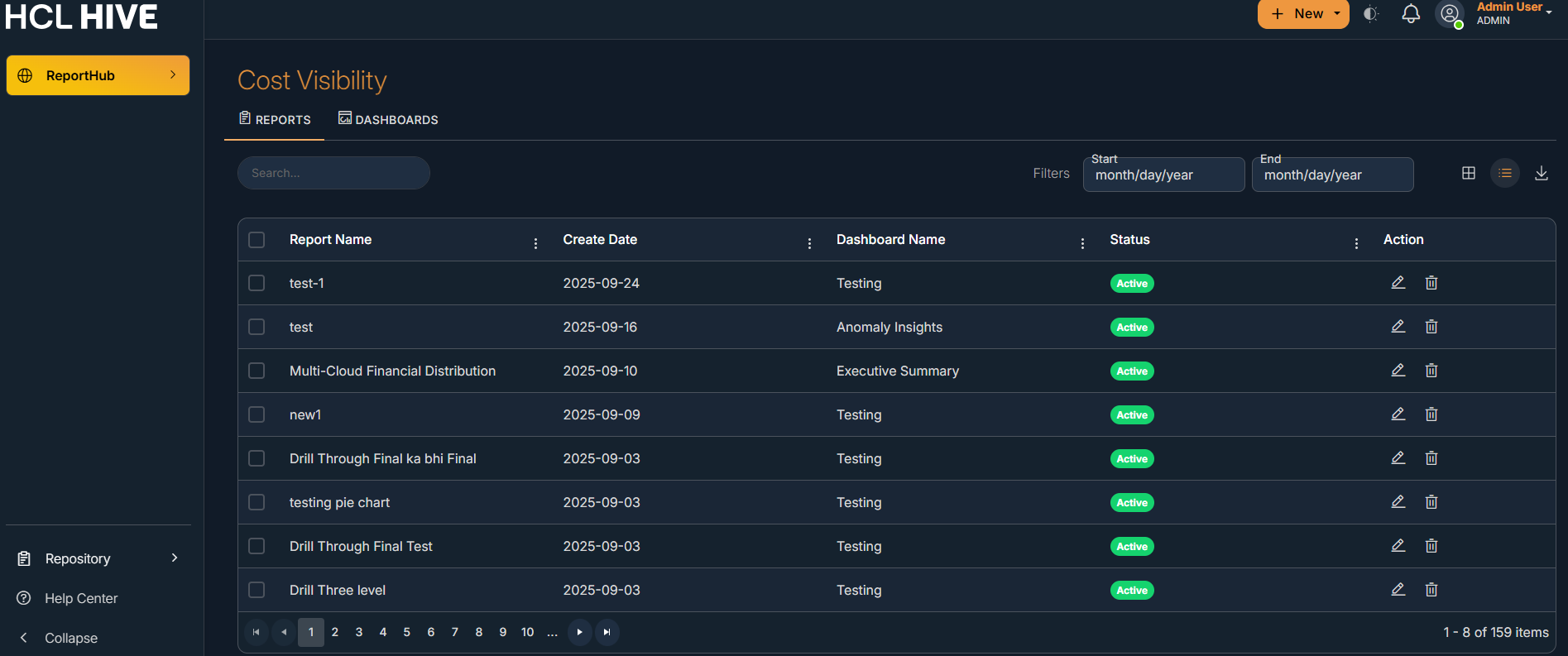
Search Bar: Allows quick search of reports by name.
Filters: Date filters (Start / End) help refine reports by creation date.
View Options: Switch between list view and grid view.
Export/Download: Download the report list if required.
The Reports tab displays all existing reports in a tabular format with the following
columns:
Column Name
Description
Report Name
Name of the report created by the user.
Create Date
Date on which the report was created.
Dashboard Name
Dashboard under which the report is categorized.
Status
Current status of the report (e.g., Active).
Action
Options to Edit (pencil icon) or Delete (trash icon)
the report.