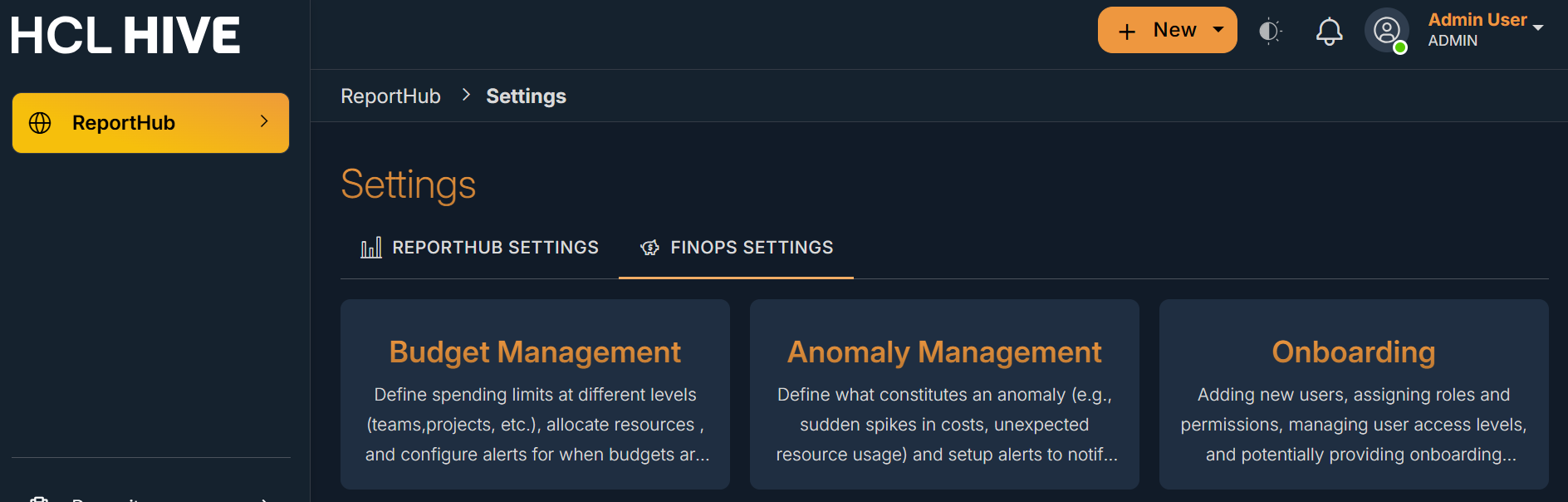
FinOps Settings
The FinOps Settings Page allows user to Onboard their cloud environment to the FinOps module set budgets and configure anomaly thresholds. To reach the FinOps Settings Page from the Hive Telco Observability home page, users can follow the below mentioned steps:
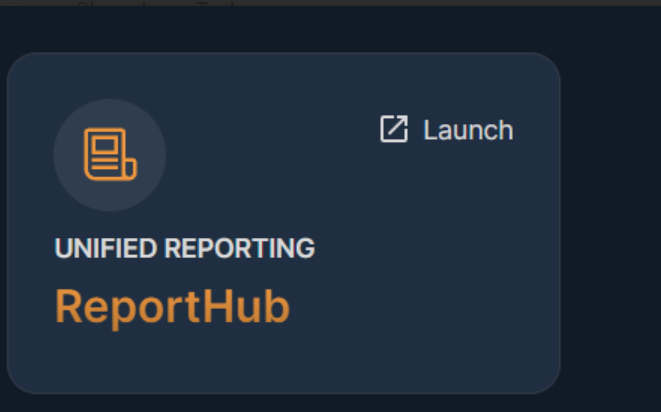
- Click on the launch button of the ReportHub module.
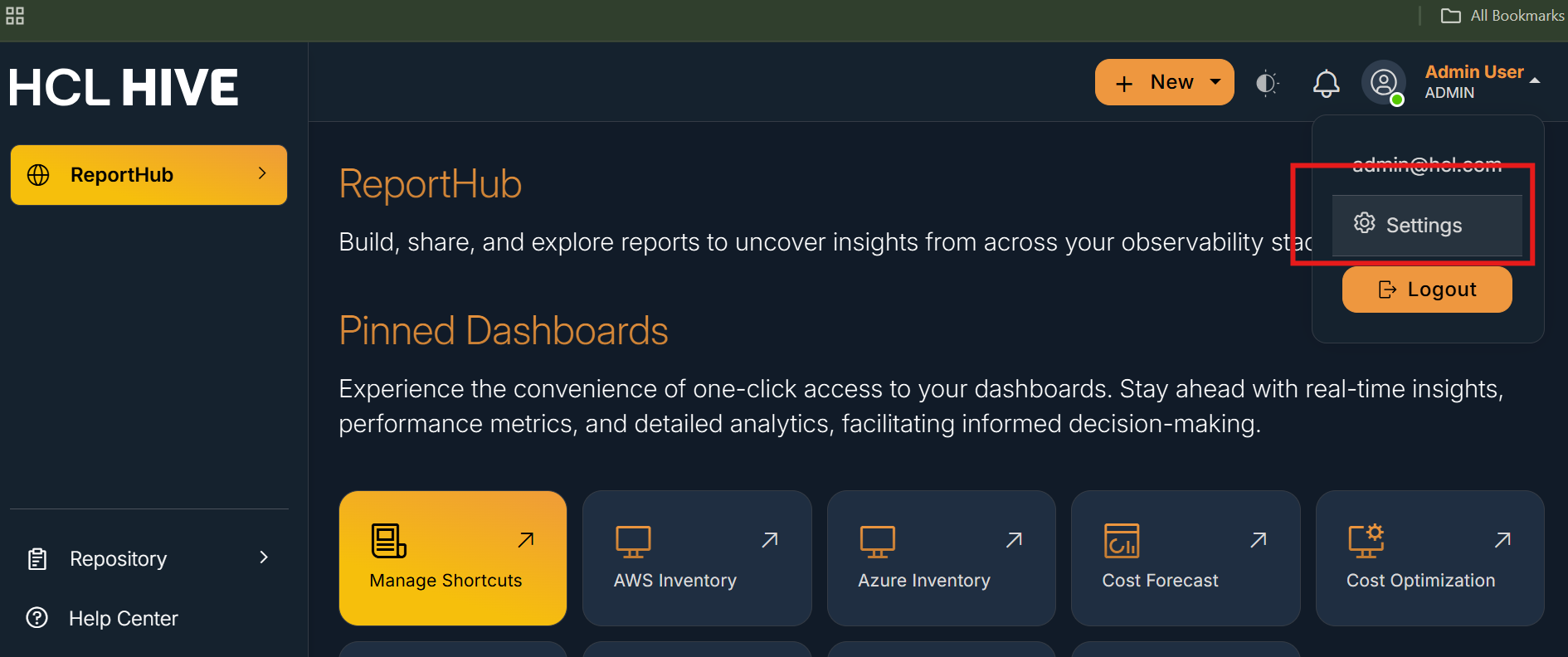
- From the top right corner, click on the User icon and then
Settings.
- From the Settings page, click on FinOps Settings Tab