Add Node
SNMP Device Onboarding
Simple Network Management Protocol (SNMP) is a protocol used for monitoring and managing network-attached devices. It enables administrators to collect information, monitor network performance, and receive alerts about conditions that may require attention.
To add the device following are the steps:
- Add Node
- Polling Configuration
- Device Registration
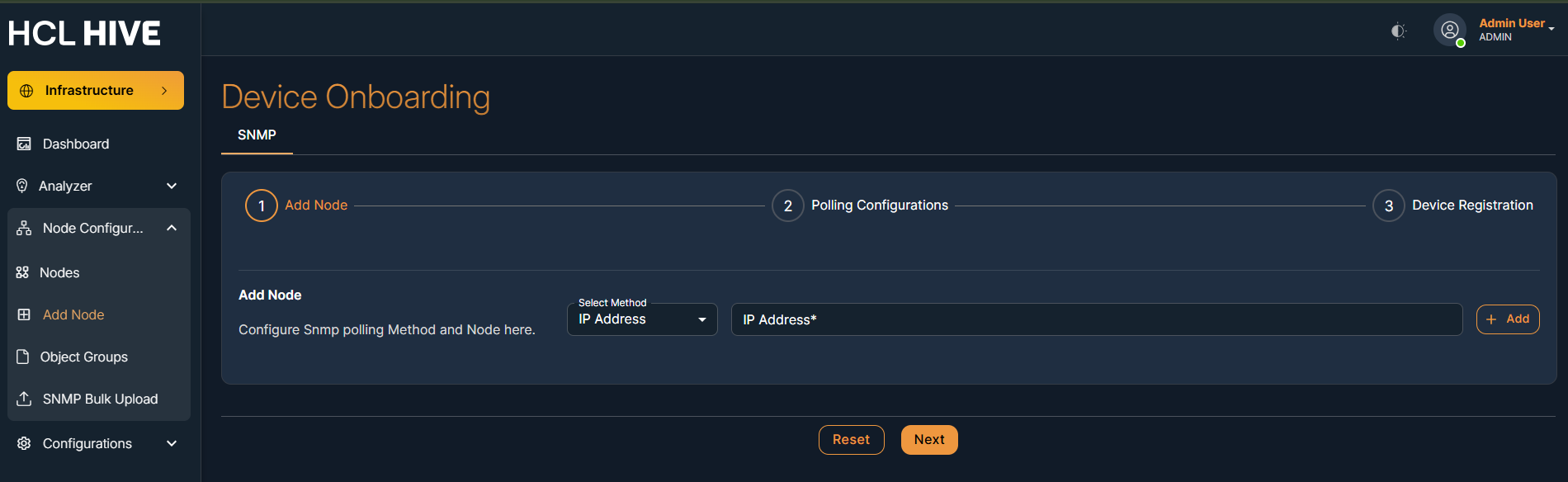
To onboard SNMP details, go to Add Node, enter a unique IP, and click "Add".
Below mentioned the detailed procedure for SNMP Device Onboarding
| Method Type | Input Parameter |
| Ip Address | Valid IP Address |
- Upon clicking "Add," the node status (pingable/not pingable) appears. If pingable, select
the IP and click "Next."
Else, troubleshoot the network to make the IP address pingable.
Figure 2. Figure - Node Add (cont.) 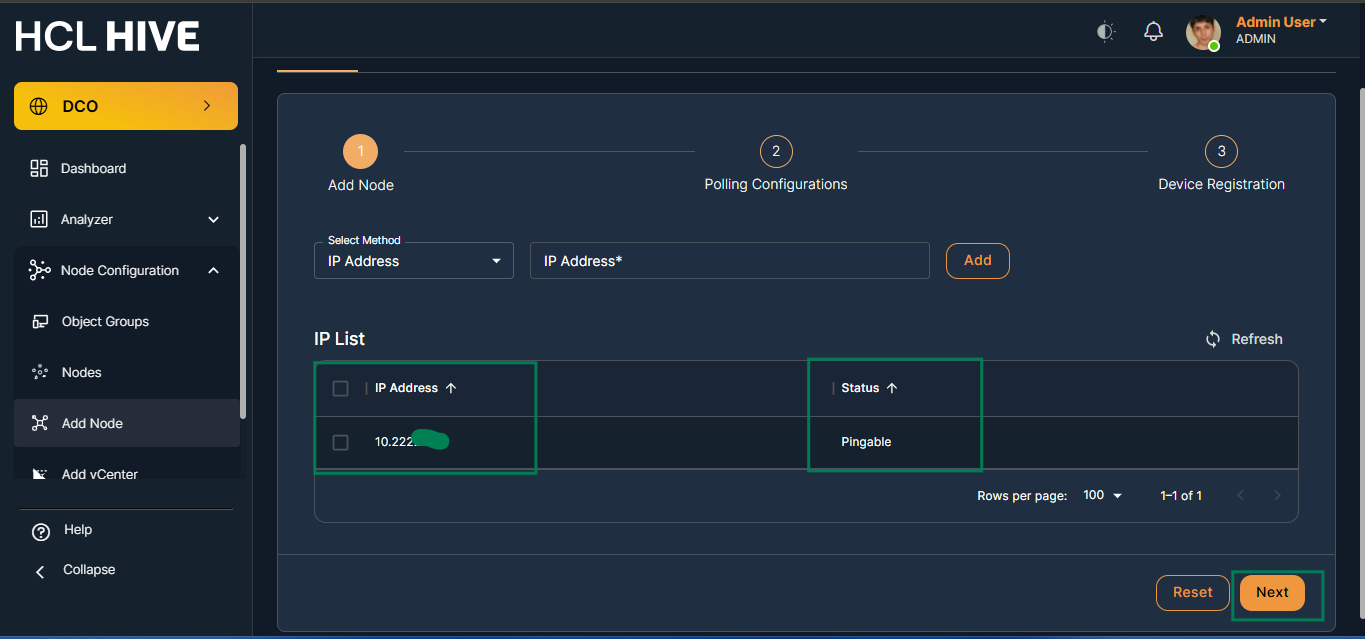
Status Description Pinagable Node is reachable Not Pingable Network failure - Next, enter the IP credentials. Test the node's credential status (successful/failed).
- Polling Configuration
- Configure polling to verify network connectivity prior to further configuration.
- Enter valid credentials and click "Test."
Figure 3. Figure - Node Add (cont.) 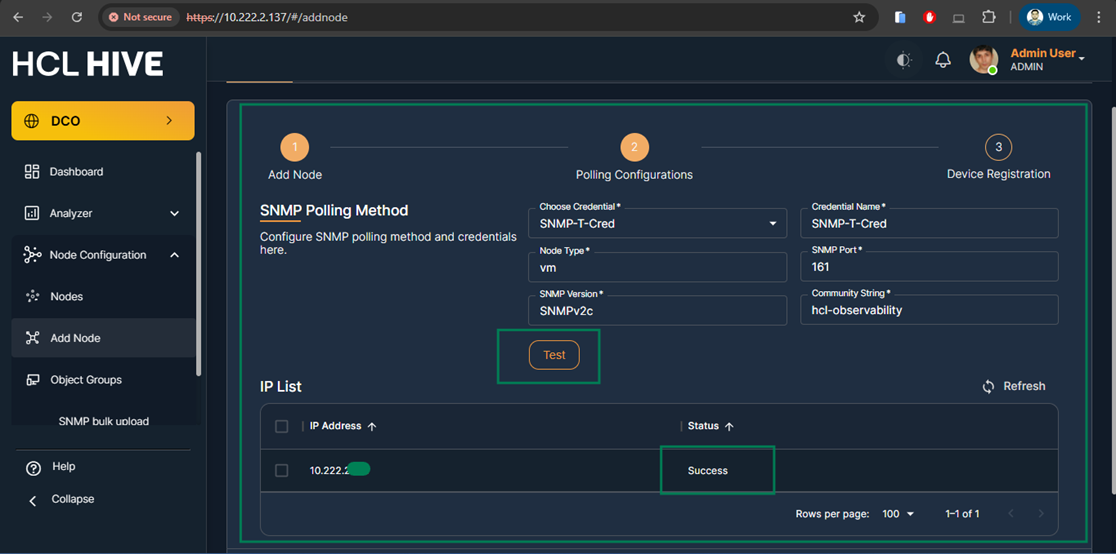
Test Result Description Successful Node credentials are valid Failure Node credentials are not valid * Credentials ensures that the system can securely communicate with the node for monitoring
-
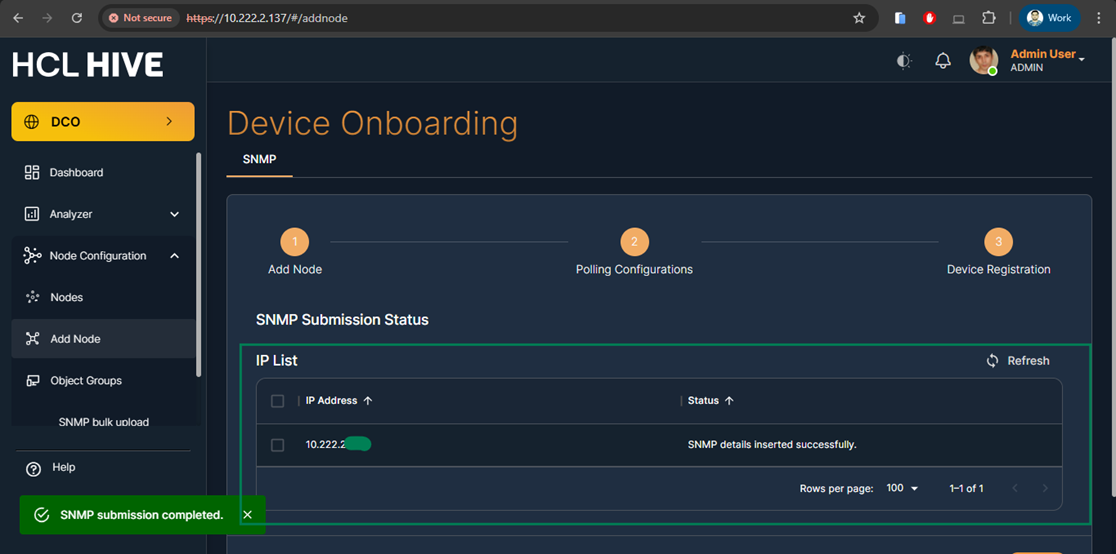
Test credentials to ensure secure system-node communication for monitoring. Upon successful status, select the node and click "Submit." The system will then display SNMP installation status and begin data collection.
- Device Registration
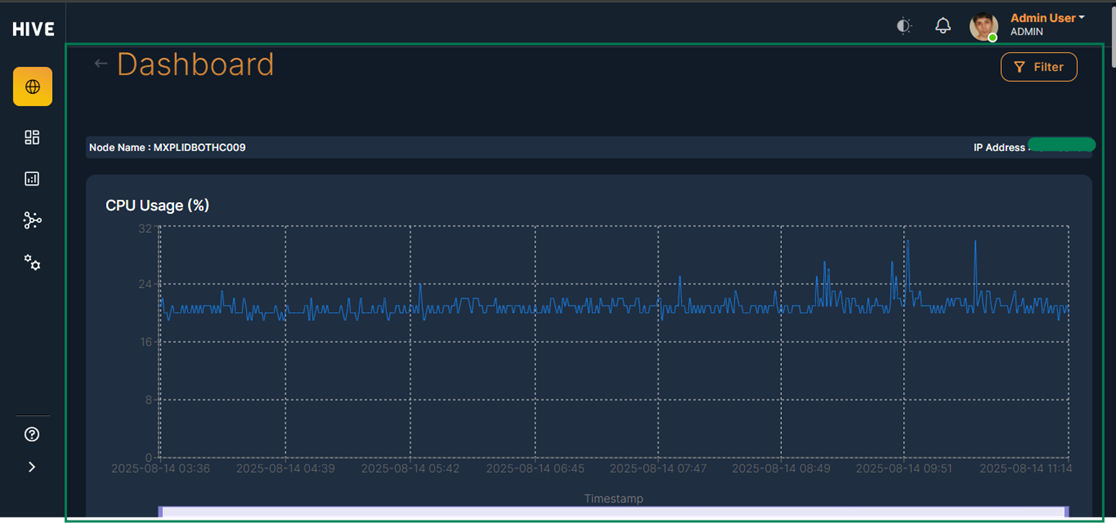
The system will then show whether SNMP is installed or not and begin collecting data.
Figure 4. Figure - Node Add (cont.)