Roles
Role Management enables administrators to define and manage roles, which are collections of permissions related to different application capabilities. By assigning roles, you control what actions users can perform within the system. This section allows you to create new roles, assign permissions(read, add, view, delete) and manage existing roles.
Navigation: User Management → Roles
-
you will see the role table with all existing roles.
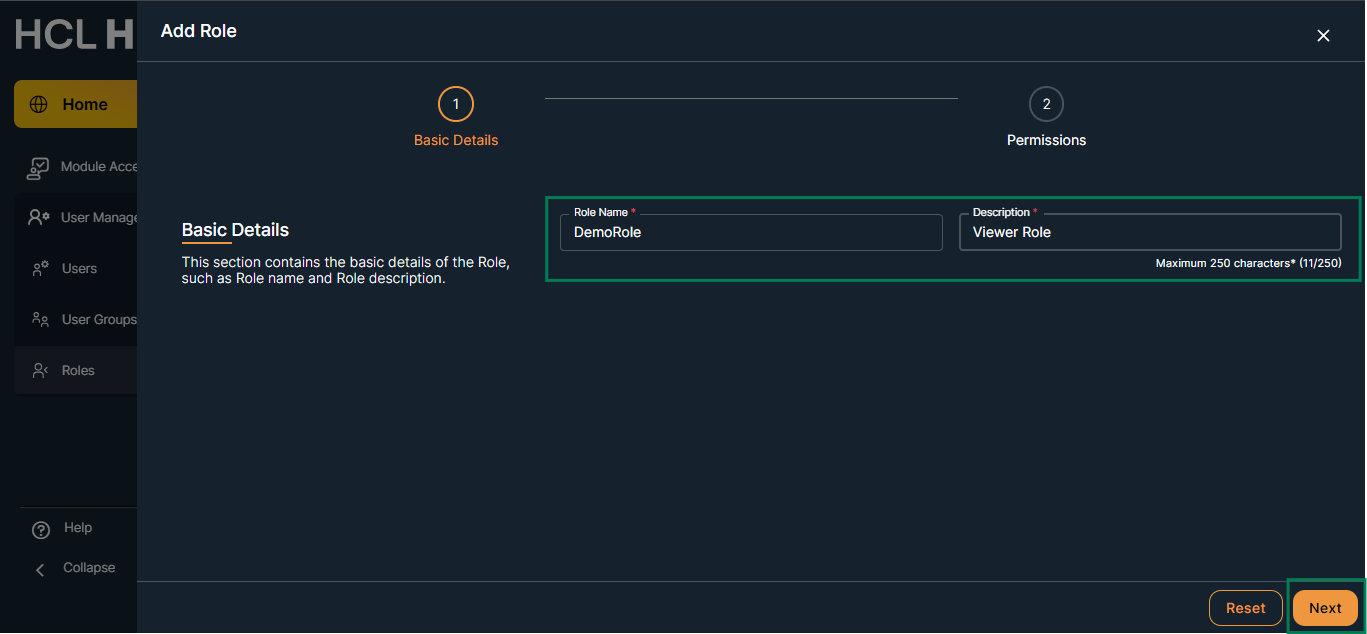
Steps to add role:
- Click on the "+ Role" button.
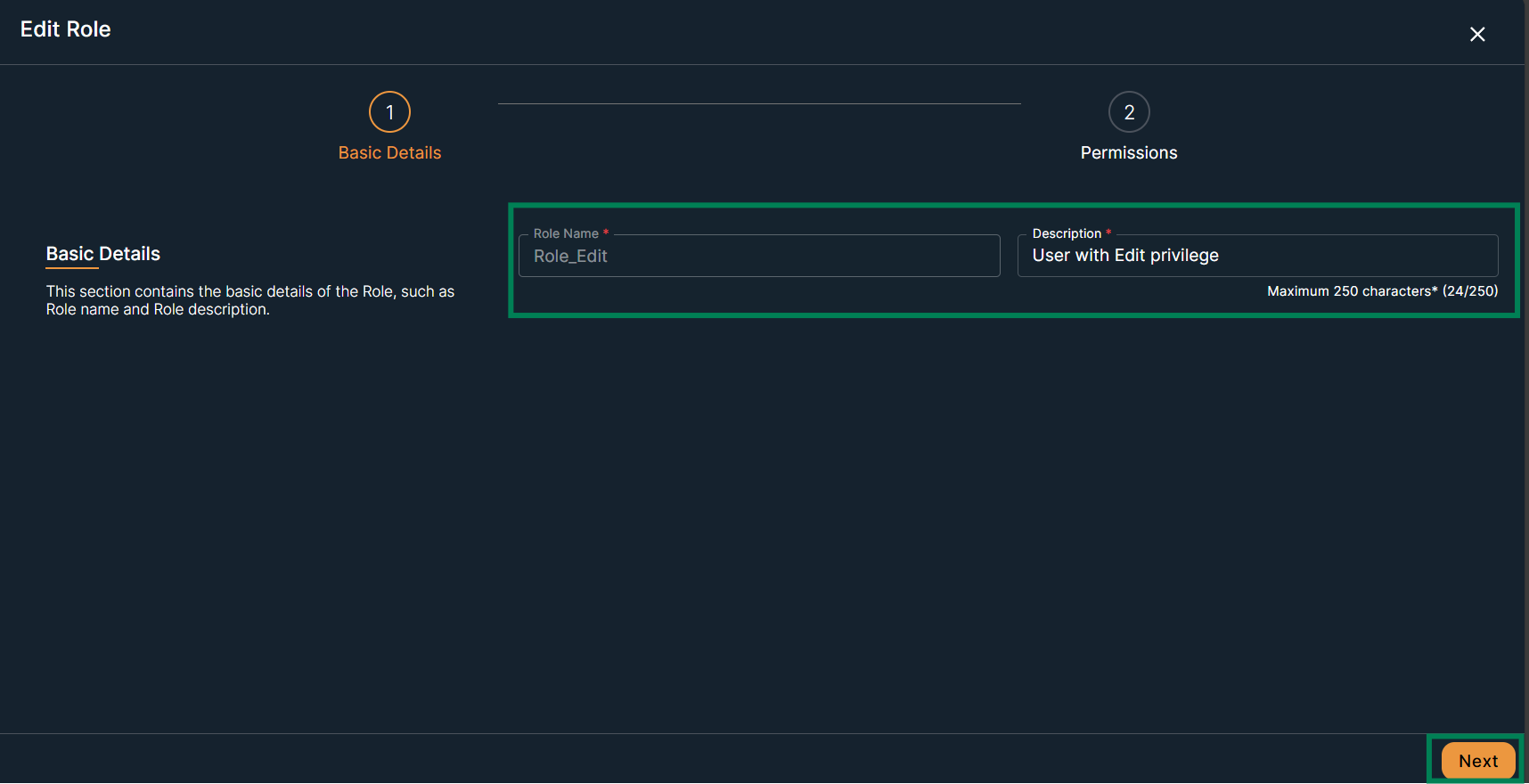
- Fill the required input parameters
- Click on the "Next" button
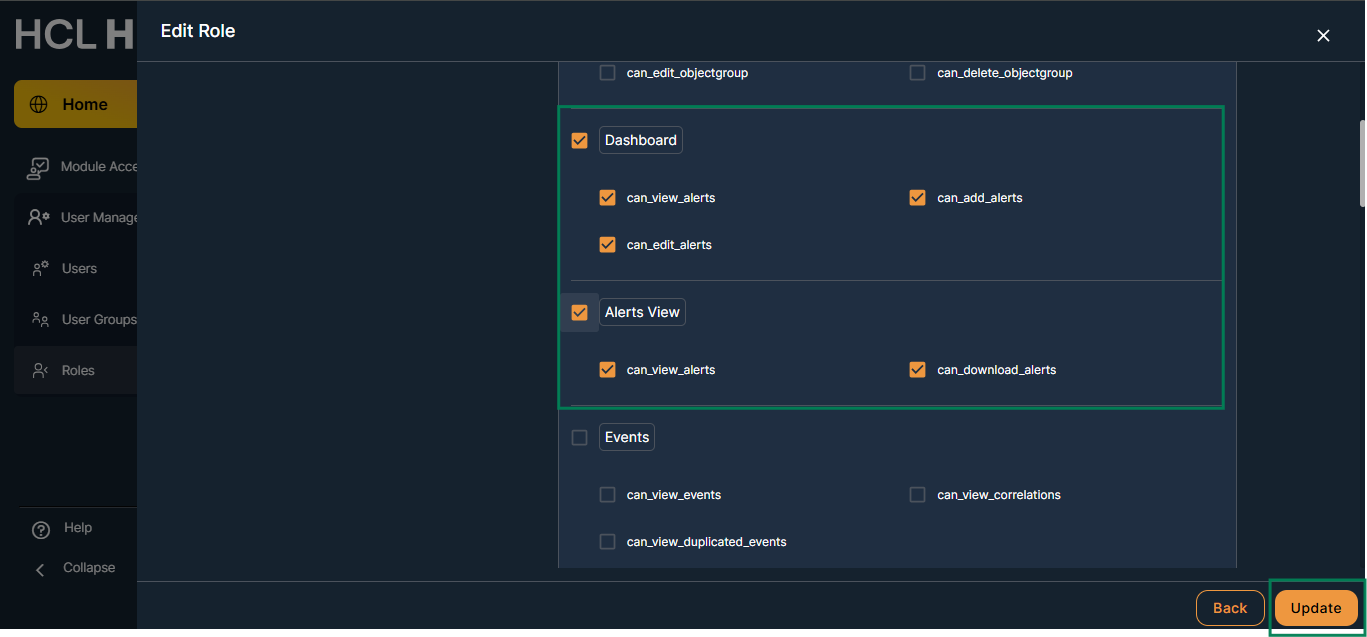
On the Permission screen :
- Select required “application and Capabilities" to grant all required permissions
- Click on the submit button
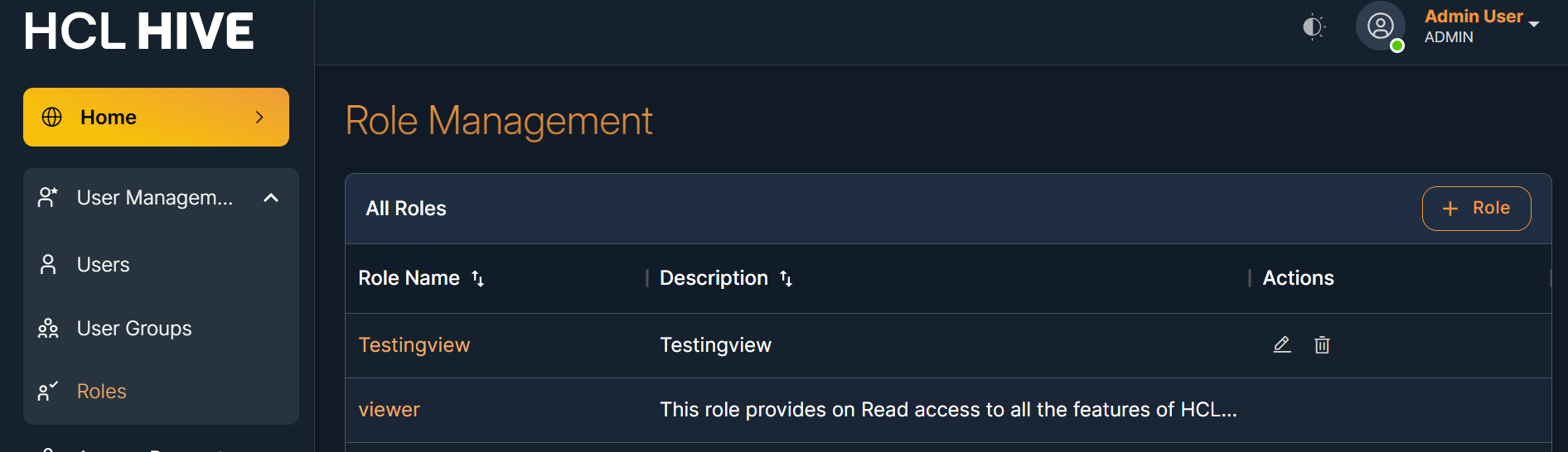
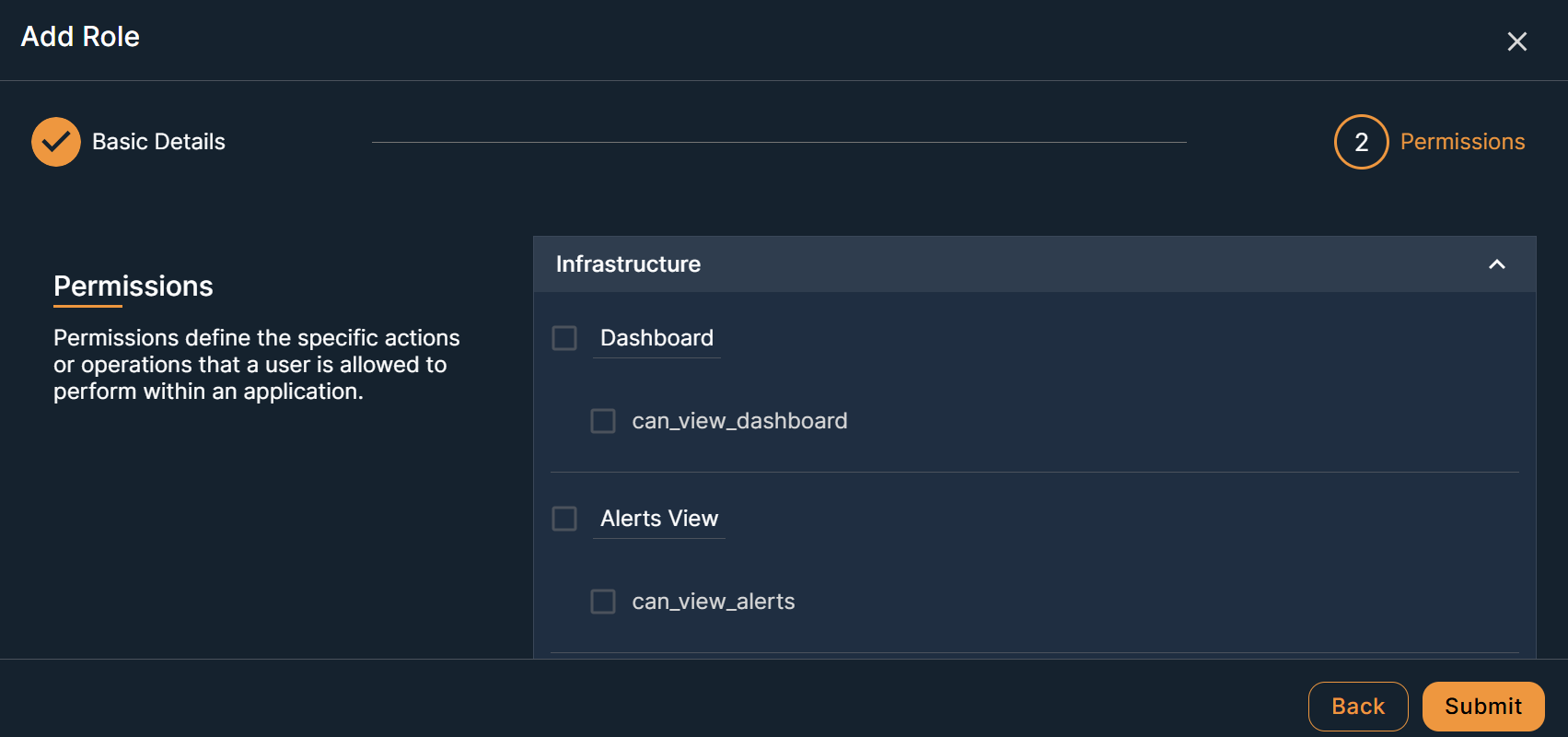
A newly added role will appear on the “Role Management” screen in the “ All Roles” table.
On the same screen, you can perform the "Edit" and "Delete" operations and detailed view of roles.
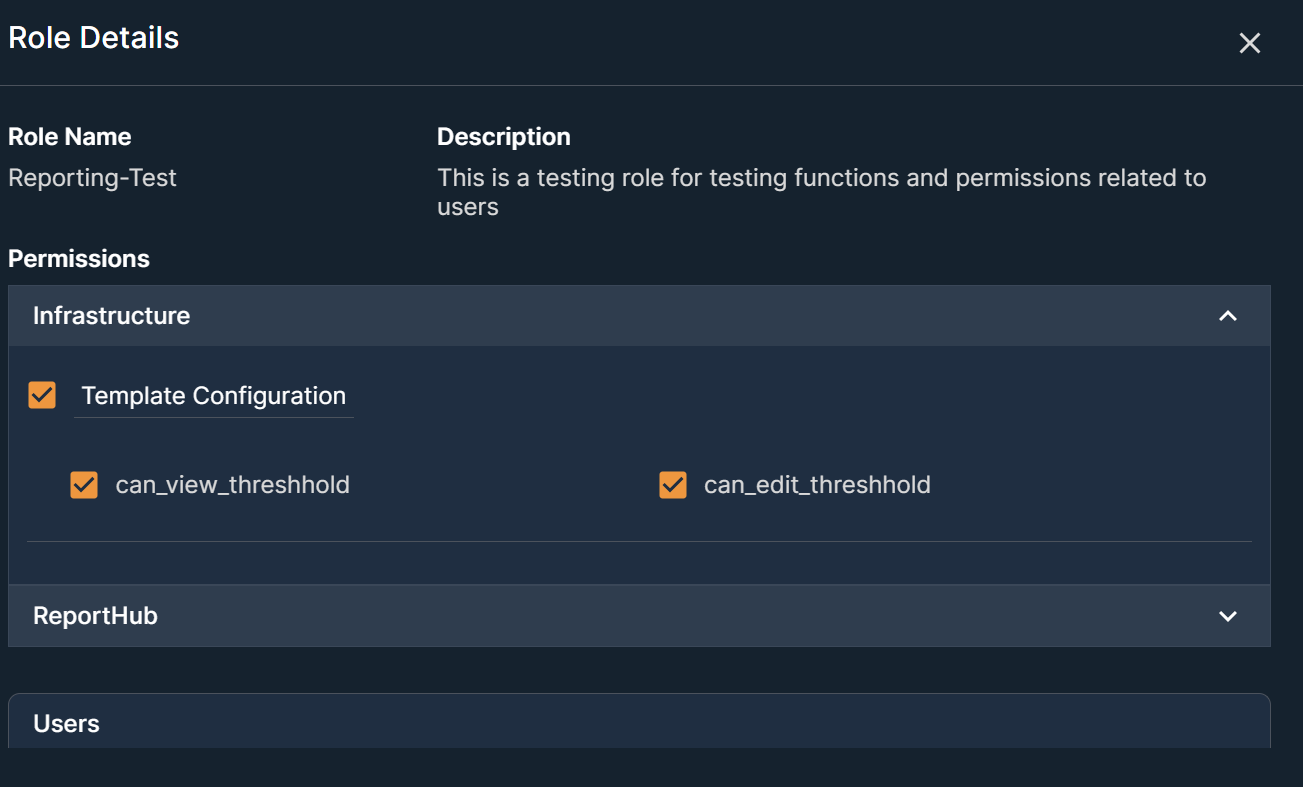
- Click a role name to view more details.