Note: Only Administrator type users have access to this module.
Click the Tools > Access Control > Users category button sequence.
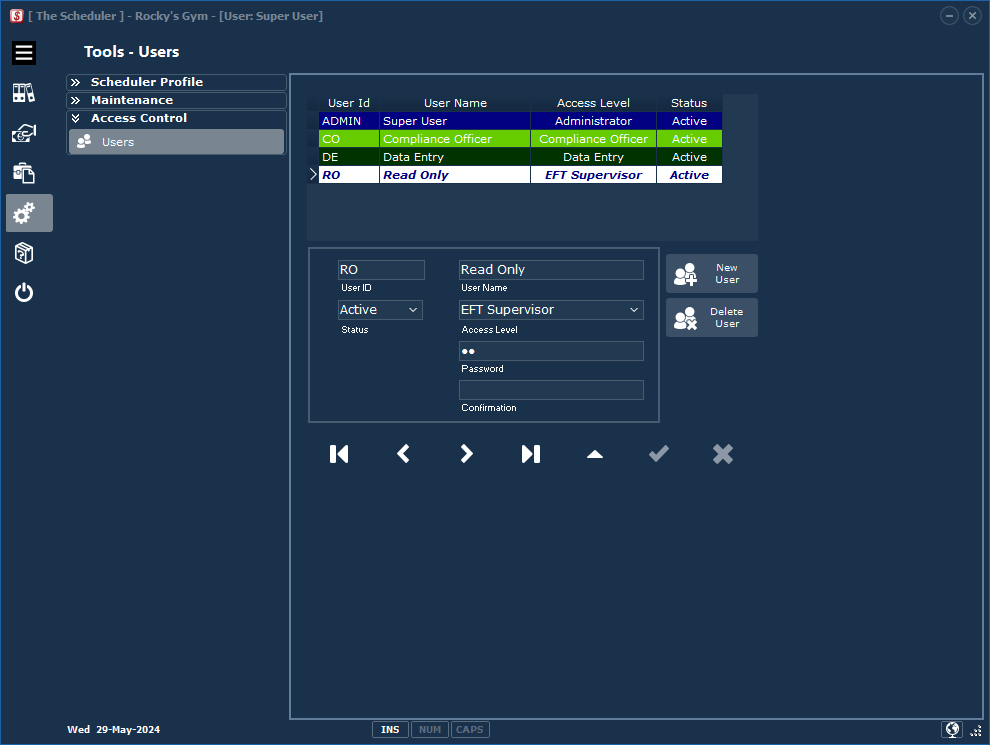
User List Grid: |
Users currently set up in The Scheduler. |
User Profile: |
A unique User ID is required for each user. The Scheduler must always have at least one user with Administrator access level. See the Access Control matrix for more information. |
New User / Delete User: |
Add a new user or delete the highlighted record. |
Navigator Bar: |
Scroll the grid items; First, Prior, Next, Last, Edit, Post, Cancel. |