Note: Access to this report is restricted. See the Access Control matrix for more information.
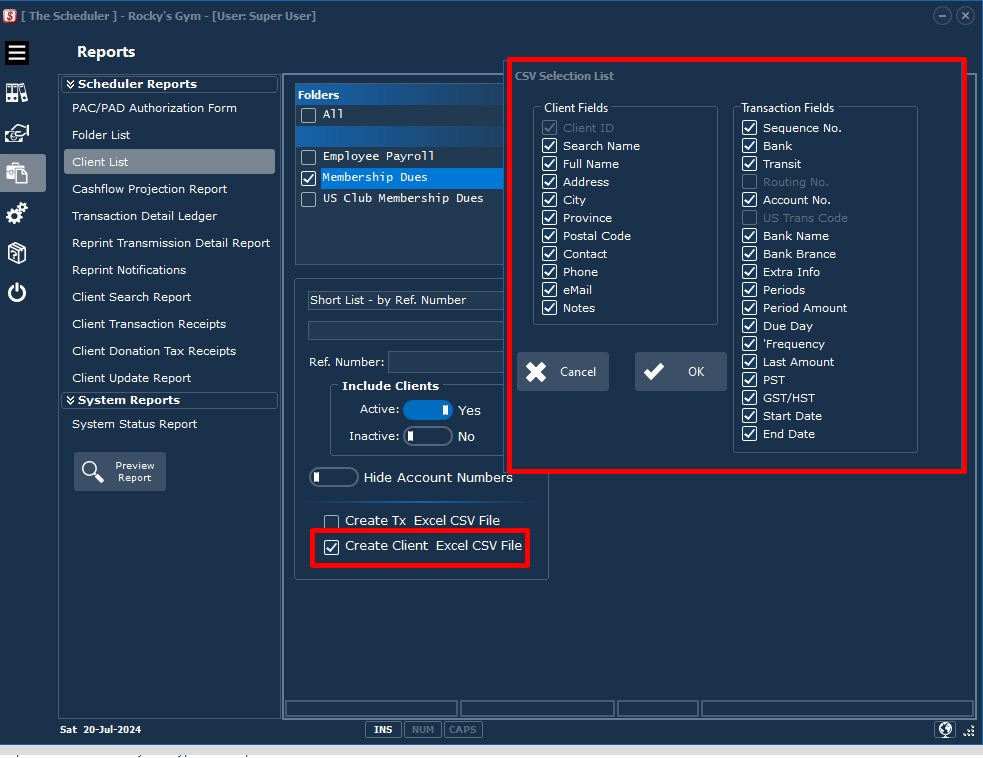
Click the Reports > Client List category button sequence.
|
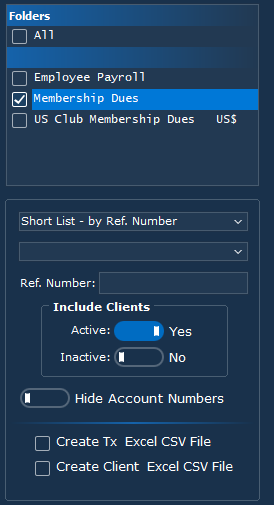
Select the Folder(s) to list clients.
Select the desired format of the report •Short List by Reference Number •Short List by Search Name •Full List by Reference Number •Full List by Search Name
If a Full list option is selected.. •Detail •Summary
Enter a client Reference Number if you only want a single client entry. •Active •Inactive
Obfuscate or Display Account Numbers.
Create a CSV (Comma Separated Value) file that can be read by Microsoft Excel. See the sample below. •Transaction •Client Details |
Sample Transaction CSV file rows:
"ID","FULL NAME","TRANSIT","FI","ACCT NO","AMOUNT","FREQUENCY","START DATE","END DATE"
"A02375","Carl Arsenault",20014,9174,"09083106566",41.00,"Monthly",2019-04-01,2021-03-01
"A02375","Carl Arsenault",20014,9174,"09083106566",100.00,"Monthly",2017-01-01
"A04494","Sheila Arpin",04883,0110,"7026859",49.00,"Monthly",2019-09-01,2019-09-01