Brand and Design System

Biographical Films

The colors, type, voice, logo, and components that make every page feel like it belongs next to a serious documentary.

Version 1 · October 2026 · Prepared by Metamorphosis Agency

Biographical Films

01

Overview

Biographical Films makes documentary films about people's lives: a 20 to 30 minute film built from a face-to-face interview led by an accomplished biographer and shot by a professional documentary crew. The brand should feel cinematic, timeless, editorial, personal, sophisticated, and warm. Think of a long-form feature in a great magazine, or the opening of a documentary on public television: black ground, white type, photography doing the heavy lifting, and one Burnished Amber accent used sparingly.

This system is to be used for the Wix Studio site (Phase 1 homepage and Contact, Phase 2 pages, the private customer area, and the per-film delivery pages), and for social, decks, and title cards that sit beside it.

Core Positioning

Two things no one else offers, together:

  1. The storytellers. An unprecedented group of accomplished authors and journalists conducts every interview. Jonathan Eig is executive producer of every film. Biographers are the moat; put them front and center.
  2. The filmmaking. Professionally produced documentary films, made to the standard of what you would expect to find on public television or a streaming service.

Everything visual and verbal should separate Biographical Films from tribute montages, slideshow videos, and DIY "legacy video" services. When in doubt, ask: does this look like it belongs next to a serious documentary, or next to a party slideshow?

02

Voice and messaging

Voice: sincere, intelligent, understated, warm, and confident. Clarity first: a visitor should know what we make within a few seconds. The deeper themes (family history, wisdom, memory, future generations) come second and explain why it matters.

Person: "we" for Biographical Films, "you" for the reader. Speak to the person who is applying, who may be the subject or a family member.

Casing: sentence case for headlines and buttons in copy decks. Buttons, eyebrows, and nav render in ALL CAPS through their type styles, so write them in sentence case and let the style transform them.

No emoji, no exclamation points.

Say this, not that:

Say Avoid
film, documentary film video, montage, tribute video
biographer, storyteller, author, journalist interviewer, host, videographer
Get Started (the label); "apply" in body copy Buy Now, Order, Add to Cart
professionally produced, documentary-quality, made to broadcast standards TV quality, cinematic masterpiece
a life, a story, what shaped you legacy, before it's too late, memorial, final chapter
understated confidence "luxury," "exclusive," "premium" stated outright

A note about "TV quality": never say "TV quality." Show it with the sample film and name the standard instead. Options that carry the idea: "Documentary filmmaking of broadcast caliber," "Made to the standard of the documentaries you watch on public television," or "The craft of professional documentary, brought to your family's story." The "democratizing" idea is best expressed as access, not affordability: "Until now, a film like this was made only about the famous."

Selective, not transactional. Every film begins with a considered application. Copy should make acceptance feel meaningful without sounding gatekept: "We review every application personally."

An example treatment:

Every life holds a great story. Few get a great storyteller.

We make documentary films about people's lives. Each film is built around an in-depth interview with an acclaimed author or journalist who knows how to find the story inside a life: not just what someone accomplished, but what shaped them, what they learned, and what they want future generations to understand.

The headline names the differentiator (the storyteller) and speaks to the reader's own life. Set it one sentence per line.

Authenticity is the brand. Never present an AI-generated image as a real photograph. AI may only be used for clearly illustrative work (pencil, ink, or watercolor drawings) that no one could mistake for an archival photo. Stock or licensed archival images of places and eras are fine and should be credited in a caption.

03

Color

  • The default theme is Dark. Pages sit on surface with ink text. Full-bleed black bands hold the hero, the films, and the footer in both themes, the way a theater goes dark for the picture.
  • Black bands (header, hero, film sections, footer) always use the Dark theme's values, even on a Light page: white text, dark ink-muted (#a6a097) for secondary text, dark line (#2b2927) for hairlines.
  • The Light theme (warm paper) is for long reading, forms, the Get Started page, and the customer account area. Switch at the section or page level, never mid-component.
  • Burnished Amber (#c4843a) is the signature, used like a single lit sign. At most one accent fill per viewport: the primary button (Get Started) or the play button. Use accent-text for eyebrows, step numerals, link underlines, and hovers. Never fill large areas or backgrounds with it on the site; full-value amber blocks belong to title cards, covers, social, and print.
  • Amber fills always carry near-black text (on-accent), never white. On light pages, amber used as text switches to the deeper accent-text shade so it stays readable.
  • Text pairs: ink and ink-muted on surface, surface-raised, and surface-sunken; on-accent (near-black) on accent; white on black or on photography under scrim. All pairs clear 4.5:1 in both themes.
  • An error always carries the word "Error" or an icon plus a message, never color alone.

Brand colors

black

#000000

Brand black, exactly as the logo guide specifies (#000000). Full-bleed film sections, the hero, and the footer in both themes; ground for the white logo.

white

#ffffff

Brand white, exactly as the logo guide specifies (#ffffff). Logo and text on black and on photography under scrim.

amber

#c4843a

Burnished Amber, the brand's identity accent at full value (#c4843a). Covers, title cards, social, and print. In the UI use the role tokens accent / accent-text so each theme stays legible.

Role colors (left half: Dark theme, right half: Light theme)

surface

Dark #0a0a09Light #f6f3ee

Page background. Dark: near-black canvas (default). Light: warm paper for long reading, forms, and the customer account area.

surface-raised

Dark #151413Light #ffffff

Cards, form panels, the film player frame, menus.

surface-sunken

Dark #000000Light #ebe6de

Recessed bands: alternating homepage sections, input wells, footer in the light theme.

line

Dark #2b2927Light #d8d2c8

Hairline rules and dividers between sections, list rows, and table cells. Decorative only; never the sole boundary of a control.

line-strong

Dark #6b6660Light #827c74

Input and outline-button borders. Holds 3:1 on surface, surface-raised, and surface-sunken in both themes.

ink

Dark #f4f1ebLight #0d0c0b

Primary text and headings on surface, surface-raised, and surface-sunken (16:1 or better).

ink-muted

Dark #a6a097Light #5b5650

Captions, metadata, photo credits, helper text on surface, surface-raised, and surface-sunken (5.8:1 or better).

accent

#c4843a

Fill for the one primary action per view (Get Started, Submit Application) and the play button. Pair with on-accent text, never white.

accent-hover

#cc9351

Hover and pressed fill for accent buttons. on-accent text clears 7:1.

on-accent

#0a0a09

Text and icons on accent and accent-hover fills (6.3:1 or better). Always near-black, never white.

accent-text

Dark #c4843aLight #895c28

Amber as text: eyebrows, step numerals, link underlines and hovers, active nav underline. Dark: the amber itself on surface, surface-raised, surface-sunken, and black (5.8:1 or better). Light: a deepened amber so it reads on paper (4.6:1 or better on every light surface).

accent-soft

Dark #22180dLight #f3e8d8

Quiet amber-tinted ground behind a selected option or a confirmation note. Text on it is ink.

focus

Dark #f4f1ebLight #0d0c0b

Focus ring: a solid 2px outline at 3px offset on every interactive element. Clears 15:1 on all surfaces in both themes.

scrim

rgba(0, 0, 0, 0.55)

Overlay laid on photography under hero text so white copy holds 4.5:1. Never tint photographs any other color.

danger

Dark #f2888aLight #a32530

Form errors: the message text and the invalid field's border. Always paired with the word "Error" or an icon plus a message.

success

Dark #86c39bLight #2e6b45

Confirmation after an application is submitted. Always paired with a word; never used decoratively.

04

Typography

The storyteller

Newsreader

Aa

Light Regular Medium Italic

The production

Fira Sans Condensed

Aa

Light Regular Medium Semibold

  • Newsreader (serif) carries the editorial voice: headlines, the subject's name, quotes, and long-form narrative. Load weights 300, 400, and 500, roman and italic, with optical sizing on.
  • Fira Sans Condensed (sans) carries the interface: nav, buttons, labels, captions, and form copy. It is the closest Google Fonts equivalent to Myriad Pro Light Condensed, the typeface used in the films, so the site and the films read as one. Light (300) is the default for body text; use Regular (400) for captions, Medium (500) for labels and nav, and Semibold (600) for buttons and eyebrows. Load weights 300, 400, 500, and 600.
  • Condensed type runs small, so interface sizes are a step larger than usual: body 17px, body-s, label, and caption 14px. Never set Light below 15px.
  • Hero headline in display-xl, film titles in display-l, section heads in heading-1, intros in lede, and narrative in body-serif at measure width.
  • Labels above headlines use eyebrow (ALL CAPS, wide tracking). The condensed caps echo the BIOGRAPHICAL wordmark, and the wide tracking nods to the spaced F I L M S.
  • Large serif headlines are set light (300) and tight; never bold a display style.
  • In Wix Studio: add both families as Google Fonts, then map Site Theme text styles: Heading 1 = display-xl, Heading 2 = heading-1, Heading 3 = heading-2, Heading 4 = heading-3, Paragraph 1 = lede, Paragraph 2 = body, Paragraph 3 = caption.

Editorial Newsreader

display-xl

72px / 1.04 · 300 · -0.02em

Homepage hero headline only, one sentence per line. One per page. 44px under 768px.

Every life holds a great story.
Few get a great storyteller.

display-l

64px / 1.06 · 300 · -0.015em

Film page title (the subject's name) and section openers on black bands. 44px on mobile.

The Life of Marty

heading-1

44px / 1.12 · 400 · -0.01em

Section headings. 34px on mobile.

The storyteller behind every film

heading-2

32px / 1.2 · 400

Sub-section and card headings. 26px on mobile.

How it works

heading-3

24px / 1.3 · 500

Step titles, film card titles, FAQ questions.

The interview

quote

30px / 1.35 · 300 · italic

Pull quotes from subjects and biographers. 24px on mobile.

Not just what they accomplished, but what shaped them.

lede

22px / 1.5 · 400

The first paragraph under a headline. 19px on mobile.

We make documentary films about people's lives. Each film is built around an in-depth interview with an acclaimed author or journalist.

body-serif

19px / 1.7 · 400

Long-form narrative on film pages and Our Team biographies. Max width `measure`.

She grew up above her parents' grocery on the West Side, where the shelves were stocked by hand and every customer had a name.

Interface Fira Sans Condensed

eyebrow

12px / 16px · 600 · 0.24em

ALL CAPS label above headlines. Its condensed caps echo the BIOGRAPHICAL wordmark, and the wide tracking nods to the spaced F I L M S. Color `accent-text` or `ink-muted`.

A BIOGRAPHICAL FILM

nav

13px / 16px · 500 · 0.14em

Header navigation and footer link headings, ALL CAPS.

OUR FILMS

button

13px / 16px · 600 · 0.16em

Button labels, ALL CAPS.

GET STARTED

body

17px / 1.65 · 300

Interface copy, form intros, short descriptions, FAQ answers.

Each film is led by an accomplished biographer and produced by a professional documentary crew.

body-s

15px / 1.6 · 300

Secondary copy, helper text under fields, footer text.

We review every application personally and reply within a few days.

label

14px / 1.4 · 500 · 0.04em

Form field labels and metadata keys (Born, Place, Running time).

Who is the film for?

caption

14px / 1.5 · 400

Photo captions and credits, in `ink-muted`. Every archival image gets one.

Marty's parents' grocery, West Side of Chicago, c. 1946. Family collection.

05

Space and layout

  • Content width container (1280px), running text capped at measure (680px).
  • Spacing is generous on purpose. Section padding: space-10 desktop, space-9 tablet, space-8 mobile. Hero: space-11.
  • Gutters: space-6 on desktop, space-4 on mobile.
  • Compositions are asymmetric and editorial: a headline on the left third with a wide image, or a full-bleed image with text set low-left. Avoid centered-everything layouts and grids of equal cards.

Spacing scale

space-14pxIcon-to-label gaps.
space-28pxLabel to field, caption to image.
space-312pxEyebrow to headline.
space-416pxMobile page gutter; gap between stacked fields.
space-524pxHeadline to lede; card padding on mobile.
space-632pxDesktop gutter; card padding; button group gap.
space-748pxBetween blocks inside a section.
space-864pxSection padding on mobile.
space-996pxSection padding on tablet.
space-10144pxSection padding on desktop. Generous space is part of the brand.
space-11192pxHero top and bottom padding on desktop.

Corners

radius-none0

Default for images, film frames, sections, and cards. The brand is square-cornered, like a film frame.

radius-xs2px

Buttons, inputs, checkboxes. Just enough to soften, never rounded.

radius-full9999px

The circular play button only.

Lines, shadows, and corners

  • Separate with line hairlines (rule thick) and space, not boxes and shadows.
  • The only shadow is shadow-film, under the featured film player.
  • Corners are square (radius-none). Buttons and inputs get radius-xs. Only the play button is round (radius-full).

Sizes

TokenValueUse
container1280pxMax width of page content.
measure680pxMax width of running text (body-serif, body, lede).
header-height80pxSite header height on desktop; 64px on mobile.
logo-primary-min160pxMinimum width of the primary lockup on screen (logo guide).
logo-monogram-min40pxMinimum width of the BF monogram on screen (logo guide).
rule1pxHairline thickness for line rules.

06

Imagery and motion

  • Photography is the primary visual. Run archival photographs and film stills large, full-bleed or near it, square-cornered (radius-none).
  • Do not crop faces tightly or add filters, duotones, or color tints. Black and white archival photos stay black and white.
  • Every archival image gets a caption in ink-muted: who or what, where, when, and source ("Family collection").
  • Text over a photo always sits on scrim, in white.
  • Before photography exists, dark grounds use the surface treatments (tonal light, film grain, scrims) in the Components section, never a flat gray box or an AI image.
  • Illustrations (the pencil and ink drawings used in the films) may appear as section art, always on surface or black with no frame effects.

Motion

Restrained. Fades and gentle rises of 8 to 16px over 500 to 700ms with an ease-out curve when sections enter. A slow push-in (Ken Burns style, about 4% over 12 seconds) on a hero still is acceptable. No bounces, parallax stacks, or auto-playing sound. Respect reduced-motion settings.

Interaction states

  • Buttons: accent to accent-hover on hover. Outline buttons fill with ink and switch text to surface.
  • Links: ink with a 1px underline offset 4px; hover turns accent-text.
  • Focus: a solid 2px focus outline at a 3px offset on every interactive element. Never remove it.
  • Inputs: line-strong border at rest, ink border on focus, danger border plus message when invalid.

Iconography

Icons are rare. The brand speaks through type and photography. When needed (play, arrow, upload, check, close, menu), use one thin-line set at 1.5px stroke in ink or on-accent. Phosphor Icons (Light weight) is the recommended set; the client has not supplied an icon set, so this is a proposal. Never use emoji or filled, colorful icons.

08

Components

Reference builds for Wix Studio sections. Each shows the structure, tokens, and states to reproduce. Open Guidelines for what each piece needs and the do's and don'ts.

Treatments

Surface treatments

Surface treatments are the tonal gradients, film grain, and scrims that give dark grounds the depth of a lit film frame, used wherever a photograph is not yet available and, as scrims, over photographs that carry text.

Biographical Films

Every life holds a great story.

Hero light, layered. Tonal gradient (a soft pool of light upper right, falling to near-black) + grain + side scrim. The stand-in for the hero before a photograph is chosen.

1. Tonal light. bf-tx-hero: three soft radial pools over a warm vertical gradient.

2. Grain. bf-tx-grain: a 1px dot on a 3px grid at 6% white. Adds film texture over any dark ground.

3. Scrims. bf-tx-scrim-side (72% to 25% black, left to right) and bf-tx-scrim-top (behind a header).

4. Film frame. bf-tx-film: a 160° warm-gray gradient for a player before its poster loads.

Few get a great storyteller.

5. Panel. bf-tx-panel: a 170° gradient for menu and quote panels beside black.

6. Panel + grain. Treatments stack; grain always goes on top, under any text.

Guidelines

Provide: a container with bf-tx plus one ground class (bf-tx-hero, bf-tx-film, or bf-tx-panel); add bf-tx-grain for texture and a scrim element when text sits on top.

  • Tonal light (bf-tx-hero): the homepage hero stand-in and any large dark band that needs depth. Light pools upper right so left-aligned type sits in the darker area.
  • Grain (bf-tx-grain): 1px dots on a 3px grid at 6% white. Use on tonal grounds and on the black film bands; never on the light theme or over photographs.
  • Scrims (bf-tx-scrim-side, bf-tx-scrim-top): over photographs and tonal grounds whenever white text sits on them, so the copy holds 4.5:1. The top scrim sits behind a transparent header.
  • Film frame (bf-tx-film): the ground of a video player before its poster loads, and of film cards awaiting a still.
  • Panel (bf-tx-panel): secondary panels beside black, such as a full-screen menu's image side or a quote panel.

Order of layers, bottom to top: ground, grain, scrim, content.

Do: keep every treatment warm and neutral. Don't: tint them with amber or any color, add more than one pool of "light" per frame, animate them, or use them in place of real photography once it exists. In Wix Studio, build the grounds as section backgrounds with CSS gradients (or a single exported image), and the grain as a tiled 3px PNG at 6% opacity.
Actions

Button

Three button styles carry every action: primary for the one main action per view, outline for secondary actions, and text with an arrow for wayfinding.

Guidelines

Provide: a short label in sentence case (the style renders it ALL CAPS), a link or action.

  • Primary (bf-btn-primary): Burnished Amber accent fill, near-black on-accent label, accent-hover on hover. Use once per viewport: Get Started, Submit application, Play.
  • Outline (bf-btn-outline): line-strong border, ink label; fills with ink on hover. Watch a film, Contact us. On photography use white border and label.
  • Text (bf-btn-text): ink label with a line-strong underline and arrow; accent-text on hover. Teasers that link to deeper pages (Phase 2 homepage).
  • Size: 52px tall, space-6 side padding, radius-xs. Small (40px) only in the site header.
  • Type: the button style (Fira Sans Condensed Semibold 600, 13px, 0.16em tracking).

Do: keep labels to one to three words. Don't: put two primary buttons side by side, use amber for outline borders, or round the corners.

Wix Studio: create three Button presets in the Site Theme with these values and hover states.

Navigation

Site header

The site header is a thin black bar with the white BF monogram, the main navigation, a quiet Log in utility link, and a persistent Get Started button.

Guidelines

Provide: the nav items for the current phase and the active page.

  • Phase 1: Home, Get Started (anchor to the homepage form), Contact.
  • Phase 2: Our Films, How It Works, Our Team, Preparing / FAQ, Contact, plus Get Started as a small primary button (label may become "Apply now" if the client wants a more selective feel).
  • Log in sits to the left of the button in ink-muted dark value, as a utility link, not a nav item.
  • black background, header-height (80px desktop, 64px mobile), nav type style, white links; the active page gets a 1px accent-text underline.
  • Monogram at 28px tall (above the 40px minimum width).

On mobile, collapse nav into a full-screen black menu with links set in heading-2; keep Get Started visible in the bar. The header stays black in both themes.

This classic bar was confirmed by the client over a centered-masthead alternative. Keep the full stacked logo for the footer.

Homepage

Hero

The homepage hero states the premise in one sentence over a full-bleed photograph or film still, with the primary and secondary calls to action.

Biographical Films

Every life holds a great story.
Few get a great storyteller.

We make documentary films about people's lives. Each film is built around an in-depth interview with an acclaimed author or journalist who knows how to find the story inside a life: not just what someone accomplished, but what shaped them, what they learned, and what they want future generations to understand.

Guidelines

Provide: a photograph or still (real archival photography or a frame from a film, never an AI image presented as a photo), the headline, a one-sentence lede, two actions.

  • Photo full-bleed under scrim; all text white.
  • Eyebrow in accent-text, then the display-xl headline set one sentence per line ("Every life holds a great story. / Few get a great storyteller."), then the approved lede paragraph at measure width.
  • Actions: primary Get Started, outline Watch a film.
  • Text sits low-left, padded space-11 top on desktop.
  • Optional: a slow 4% push-in on the still over 12 seconds; static under reduced motion.

Don't: center the text over a busy face, use a video background with sound, or add a second headline.

Homepage

Film feature

The FilmFeature presents a sample film as the centerpiece on a black band, the way a premium documentary site would, with no platform branding.

A Biographical Film

Marty Hauselman

Growing up above his parents' grocery on Chicago's West Side, 1940s.

Running time 24 min

Guidelines

Provide: a Wix Video (or Vimeo Pro) embed with a clean poster frame, the film title (the subject's full name, e.g. Marty Hauselman), a caption, and the running time.

  • Section on black in both themes; title in heading-1, eyebrow "A Biographical Film".
  • Player 16:9, square corners, a 1px border in white at 18% opacity, and shadow-film. The video is shown whole on black (contain, never cropped).
  • The round accent play button (88px, radius-full) sits centered at 60% opacity so type on the poster shows through, rising to full opacity on hover and keyboard focus. It starts playback, then hides and hands over to the player's native controls; it returns when the film ends.
  • White monogram watermark low-right at 70% opacity (omit if the poster already carries the logo).
  • Below the player: a hairline, the caption (caption) left, running time (nav style) right.
  • Hide the host platform's logo, related videos, and title overlay.

Use one featured film on the Phase 1 homepage; on Our Films repeat this block per film with alternating section grounds (black and surface).

Homepage

Process steps

ProcessSteps explains the client journey in three steps (apply, interview, your film) with large serif numerals over hairlines.

  1. 01

    Apply

    Tell us about the person and the story. We review every application personally and arrange a conversation.

  2. 02

    The interview

    An accomplished biographer prepares in depth, then leads a relaxed, filmed conversation where the subject lives.

  3. 03

    Your film

    Our editors weave the interview with family photographs and archival material into a finished documentary film.

Guidelines

Provide: three steps, each with a short title and one or two sentences.

  • Three equal columns on desktop, stacked on mobile; each step begins with a line hairline.
  • Numerals 01 to 03 in the serif at 44px light, accent-text.
  • Titles in heading-3, descriptions in body ink-muted.
  • Phase 2 homepage: shorten descriptions to one sentence and add a text button "How it works" linking to the full page.

Keep it to three steps on the homepage. The full How It Works page may expand to five (getting to know you, story discovery, the interview, building the film, delivery).

Homepage

Storyteller feature

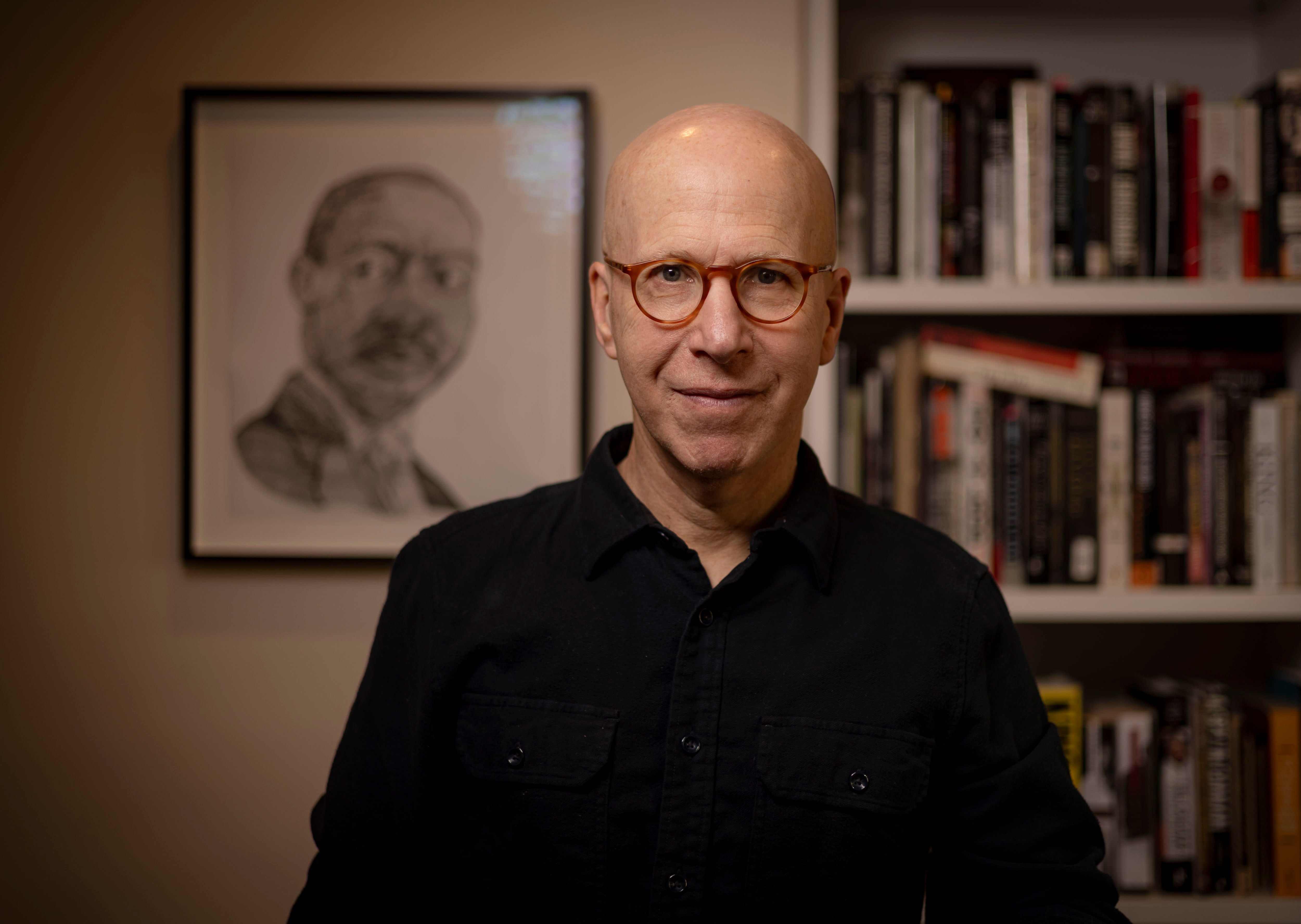
The StorytellerFeature establishes the biographers as the moat: a portrait of Jonathan Eig as executive producer of every film, with a short statement and credentials.

A · With portrait (default)

Jonathan Eig

Jonathan Eig, executive producer.

The storyteller behind every film

Every film is led by an accomplished biographer.

Our biographers are celebrated authors and journalists who know how to find the story inside a life. Jonathan Eig is executive producer of every film we make.

  • Pulitzer Prize for Biography, King: A Life
  • Author of Ali: A Life
  • Author of Luckiest Man: The Life and Death of Lou Gehrig

B · Alternative Treatment

The storyteller behind every film

Every film is led by an accomplished biographer.

Our biographers are celebrated authors and journalists who know how to find the story inside a life. Jonathan Eig is executive producer of every film we make.

  • Pulitzer Prize for Biography, King: A Life
  • Author of Ali: A Life
  • Author of Luckiest Man: The Life and Death of Lou Gehrig
Guidelines

Provide: a real portrait (4:5), heading, lede, and three credentials. Confirm credentials and wording with the client before launch.

  • Two columns (5 / 7), portrait left with a caption.
  • A · With portrait (default) (bf-portrait-photo): the biographer's photo in natural color with no filters or texture, cropped 4:5 with the face in the upper third, framed by a 1px border at 12% white. Favor portraits with similar, natural lighting so the roster looks consistent as it grows.
  • B · Alternative Treatment (bf-portrait-tonal with bf-tx-hero bf-tx-grain): the same 4:5 frame filled with the tonal light gradient and film grain from the surface treatments. Use it when a suitable portrait isn't available, or to describe the biographers as a group rather than one person.
  • Credentials as a hairline list: the honor in ink semibold, the title in ink-muted.
  • Describe biographers generally as accomplished authors and journalists; do not list a roster until there is more than one active biographer.
  • Phase 2: the same block, shortened, with a text button to Our Team.

Don't: use stock portraits, overstate ("the world's best"), or use amber for anything here but the eyebrow.

Editorial

Section heading

The SectionHeading opens each homepage section with an eyebrow, a serif heading, and an optional supporting sentence, closed by a hairline.

How it works

From first conversation to finished film

Every film follows the same considered process, led by a biographer and produced by a professional documentary crew.

Guidelines

Provide: eyebrow text (two to four words), a heading, an optional one-sentence description.

  • Two columns on desktop: eyebrow plus heading-1 left, description in body ink-muted right, bottom-aligned. Stacks on mobile.
  • Hairline line below, space-5 above it.

Don't: add icons, center it, or use it more than once per section.

Editorial

Pull quote

A PullQuote lifts one line from a subject, family member, or biographer into the serif italic, framed by hairlines.

My grandchildren knew the stories. Now they know the person who lived them.

Sample quote, film subject
Guidelines

Provide: the quote (one or two sentences) and attribution. Use only real quotes from real clients, with permission. The preview text is sample copy.

  • quote style, curly quote marks in accent-text, hairlines above and below, attribution in the eyebrow style, ink-muted.
  • Max width measure.

Don't: invent testimonials, stack more than one quote together, or use it as a section heading.

Editorial

Film page masthead

The FilmMasthead is the top of each private film delivery page: the subject's name, a one-line description, key facts, the film, and the start of a written narrative, set like a long-form magazine feature.

A Biographical Film

The Life of Ruth Adler

A teacher, a mother of four, and the first in her family to finish college.

Born
Milwaukee, 1938
Biographer
Jonathan Eig
Running time
26 minutes

She grew up in a duplex on the north side of the city, where her father repaired watches at the kitchen table and her mother kept the accounts for half the block. The film begins there, with the sound of a ticking clock.

Guidelines

Provide: the subject's full name, a one-sentence description, facts (born, biographer, running time; optionally places), the video embed, and the narrative (which can be drafted with AI from the transcript, then reviewed). The preview uses a fictional sample subject.

  • Light theme by default for comfortable reading; dark is acceptable for families that prefer it.
  • Eyebrow "A Biographical Film", name in display-l as "The Life of [Name]", lede in ink-muted.
  • Facts as a hairline definition row: keys in eyebrow style, values in serif 20px.
  • Player as in FilmFeature; the narrative below in body-serif at measure, with photographs full-width and captioned.
  • Optional password gate before the page, styled with the ApplicationForm field and primary button.

Built as one Wix dynamic page template so each new film needs content only, not design.

Forms

Application form

The ApplicationForm is the Get Started application: a short, considered set of questions that tells the team who the film is for and whether the story is a fit.

Get started

Tell us about the story

Every film begins with a short application. We review each one personally and will be in touch within a few days.

Error: enter a complete email address.
A few sentences is plenty. Important places (hometowns, schools, workplaces) help our researchers begin.
Guidelines

Provide: the fields below (adjust with the client), the privacy policy link, and a confirmation message.

  • Light theme. Eyebrow, heading-1, a reassurance line in ink-muted.
  • Two-column grid on desktop, one column on mobile. Labels above fields in the label style; never use placeholder text as the label.
  • Inputs: surface-raised fill, line-strong border, radius-xs, 50px tall; ink border on focus plus the focus ring.
  • Errors: danger border plus a message that starts with "Error:", placed under the field.
  • Vetting signals belong here: who the film is for, photo and home movie availability, important places.
  • One primary button: Submit application. On success show a success confirmation: "Thank you. We review every application personally and will be in touch within a few days."

Wix Studio: build with Wix Forms (V2), map these styles in the form's design panel, and keep the consent checkbox required.